When you try to connect Lucca to 1Password SaaS Manager you will be asked for a Lucca API key, and your Lucca base URL. This article directs you to guidance to create your Lucca API token, and explains which permissions you should set.
Creating the API key
Instructions for generating a new API key in Lucca can be found here.
When creating the API key we suggest naming the key something easily recognizable (e.g. API - SaaS Manager integration).
Setting permissions
The article for creating the API key explains how you can customize permissions.
From the Roles page select the API key you want to edit from the list of the left of the screen, and select the Co-workers/Collaborateurs permission section.
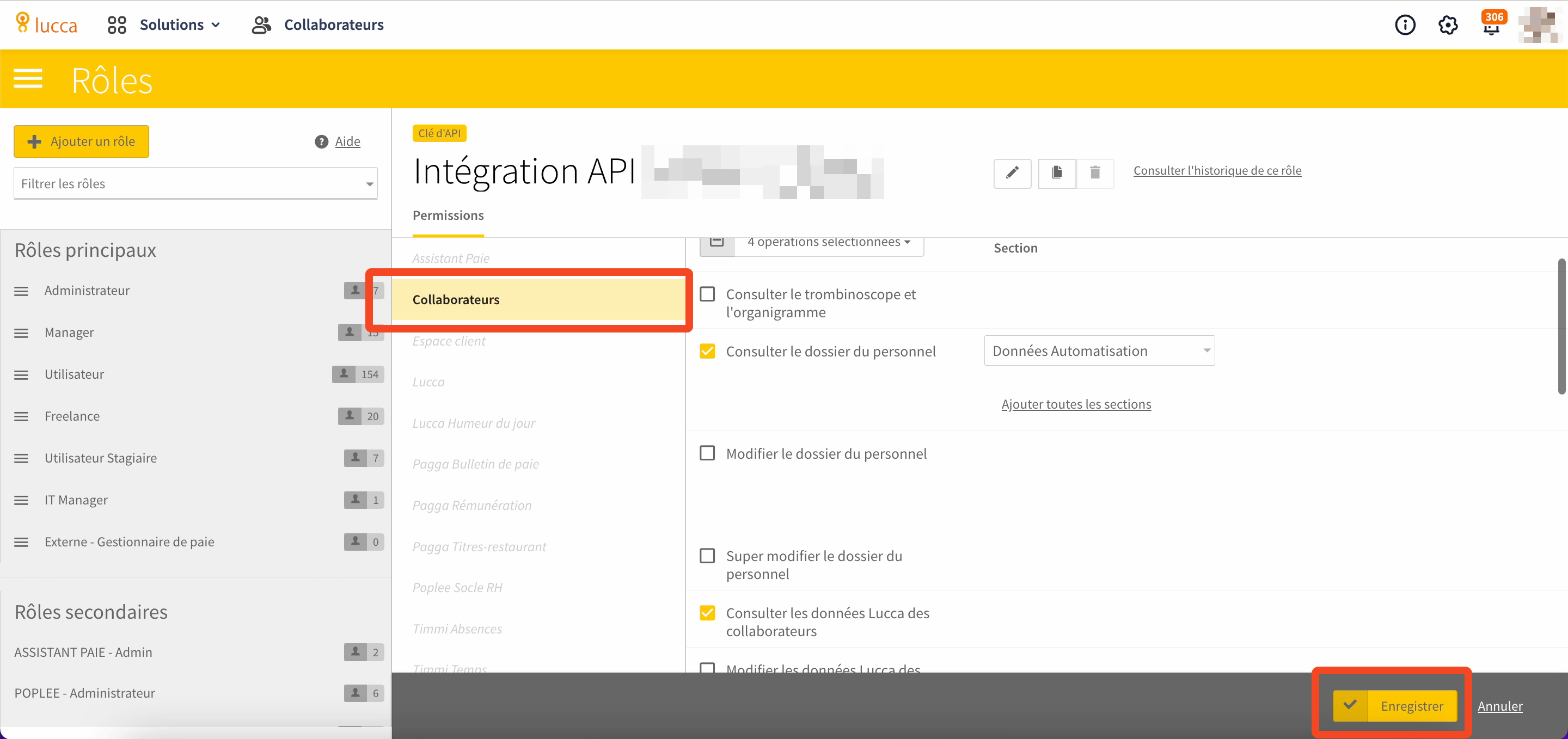
In order to access employee records, and maintain accurate records of start and leave dates SaaS Manager requires the following permissions to be set:
- Consulter le dossier du personnel (select a section, e.g. Données Automatisation)
- Consulter les données Lucca des collaborateurs
- Voir les futurs employés
- Voir les employés partis
Integrating with SaaS Manager
To connect SaaS Manager to Lucca:
- Copy the API key into the in the integration connection dialog
- Enter your base URL into the connection dialog (the base URL is the URL you navigate to when accessing Lucca e.g.
https://your-org.ilucca.net.
Comments
0 comments
Please sign in to leave a comment.