Connecting to Sapling from 1Password SaaS Manager
Depending on where your Sapling data is hosted, SaaS Manager expects you to input an Application URL in the following format:
| Sapling data center | Application URL |
|---|---|
| US | https://{{subdomain}}.saplingapp.io |
| UK | https://{{subdomain}}.kallidus-suite.com/hr |
Where {{subdomain}} should be replaced with your company's subdomain, e.g. yourcompany.
Creating an API key in Sapling
Log in to Sapling and navigate to Integrations > API Keys, followed by clicking Create new key.
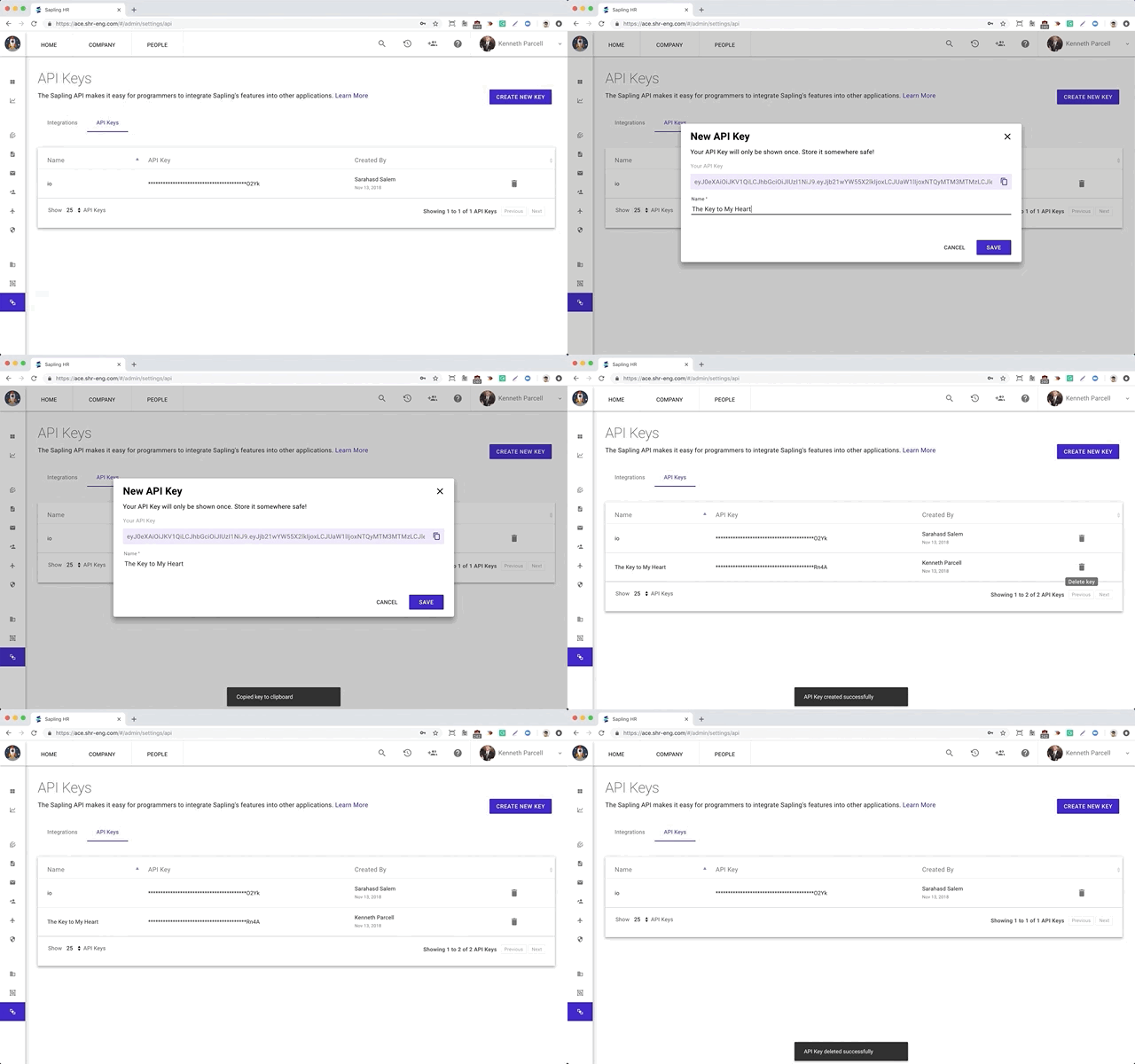
Provide a sensible Name for the API key, e.g. 1Password SaaS Manager.
Copy the API key to your clipboard (as you'll need to input it in SaaS Manager) before clicking Save.
Comments
0 comments
Please sign in to leave a comment.