To connect to JumpCloud you need to enter an API Key.
You can find this by logging in to the JumpCloud admin console.
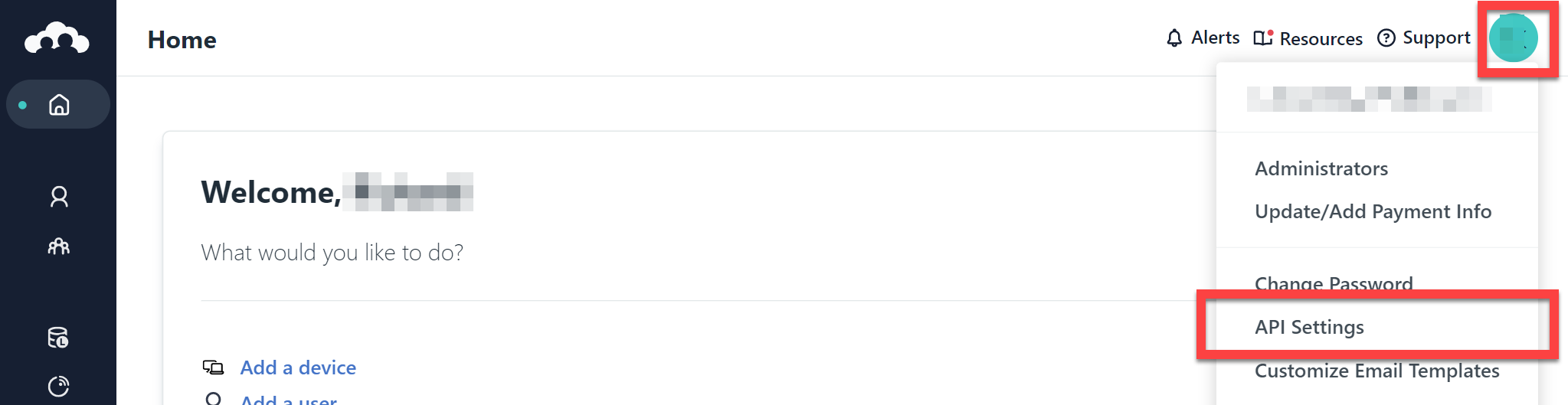
Click your profile icon at the top-right, and then choose API Settings:
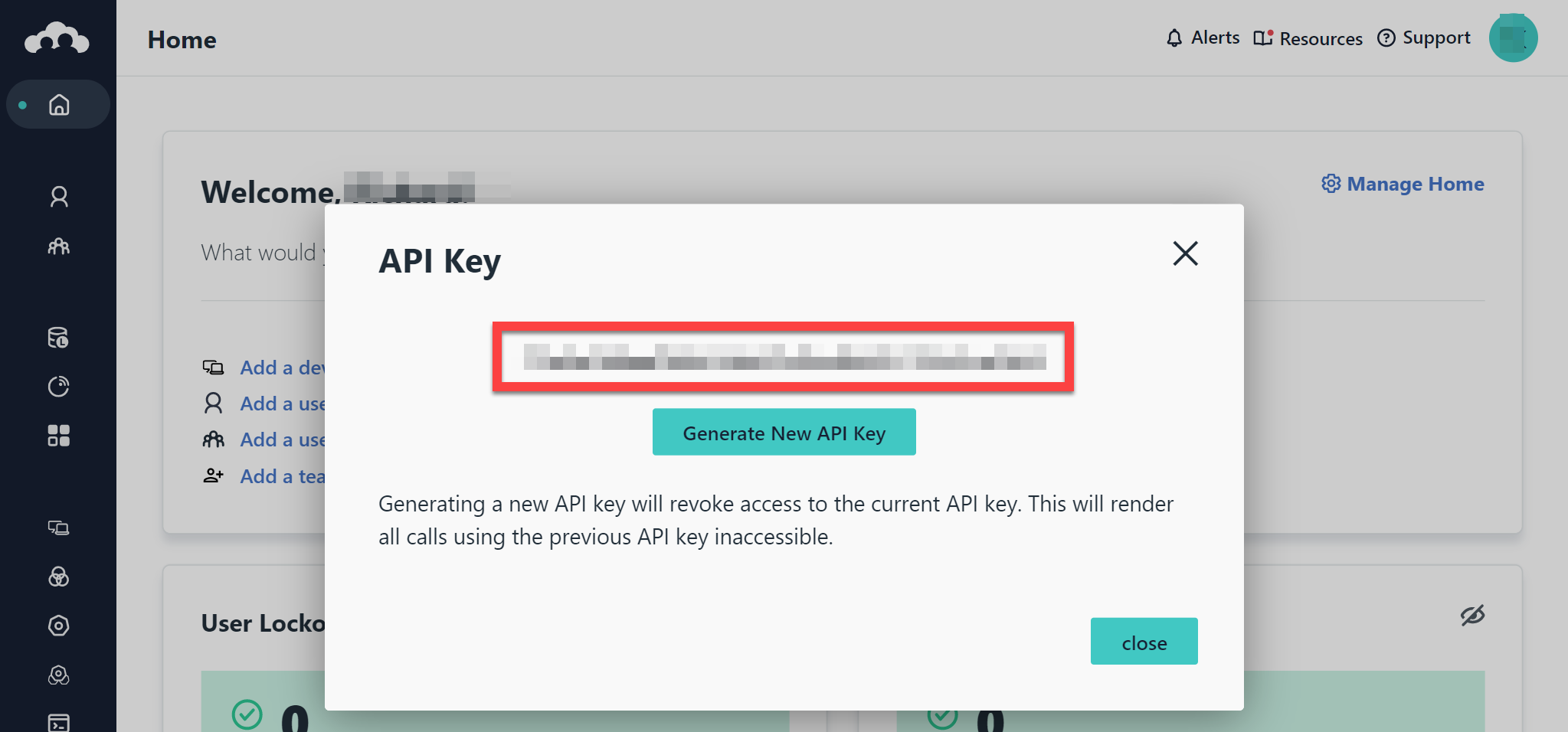
This will then show you your API key which you can copy to the clipboard by clicking on it:
FAQ
Troubleshooting multi-tenant connections
The 1Password SaaS Manager integration with JumpCloud is built to support connection to a single organization. If you have a multi-tenant JumpCloud configuration you will need to:
- Log in with your primary administrative account
- Navigate to Settings
- Select Administrators
- Click '+' to add an account
- Ensure you assign the Administrator with Billing role, to grant API access
- Scope the administrator to the specific organization you would like to connect to SaaS Manager (for further information see this article)
- Log in as that new admin account to generate an API key
Which person attributes does SaaS Manager set when provisioning?
SaaS Manager maps the following user attributes when provisioning a new user in JumpCloud:
| SaaS Manager attribute | JumpCloud attribute |
|---|---|
| First name | First Name |
| Last name | Last Name |
| New username (step input; defaults to Email) | Company Email, Username |
| Job title | Job Title |
| Location | Location |
| Cost center | Cost Center |
| Employee ID | Employee ID |
| Employee type | Employee Type |
| Team | Department |
| Line manager | Manager |
| Personal email | Alternate Email |
| Phone number | Personal Cell |
| Personal address | Home Street Address |
Comments
0 comments
Please sign in to leave a comment.