Login as an Administrator of Humaans.

Click on the triple dots beside your name and choose API access tokens.
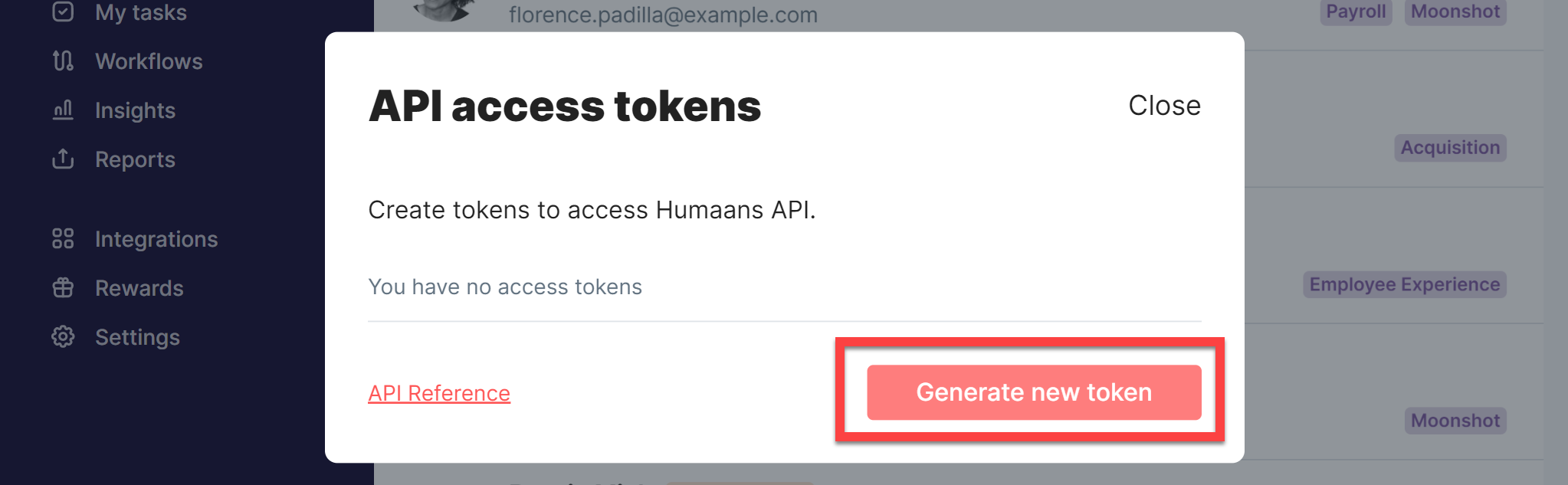
Click Generate new token:
In the dialog that appears, enter a label (e.g. SaaS Manager Integration) and choose the View public and private data scope.
Click Create access token.
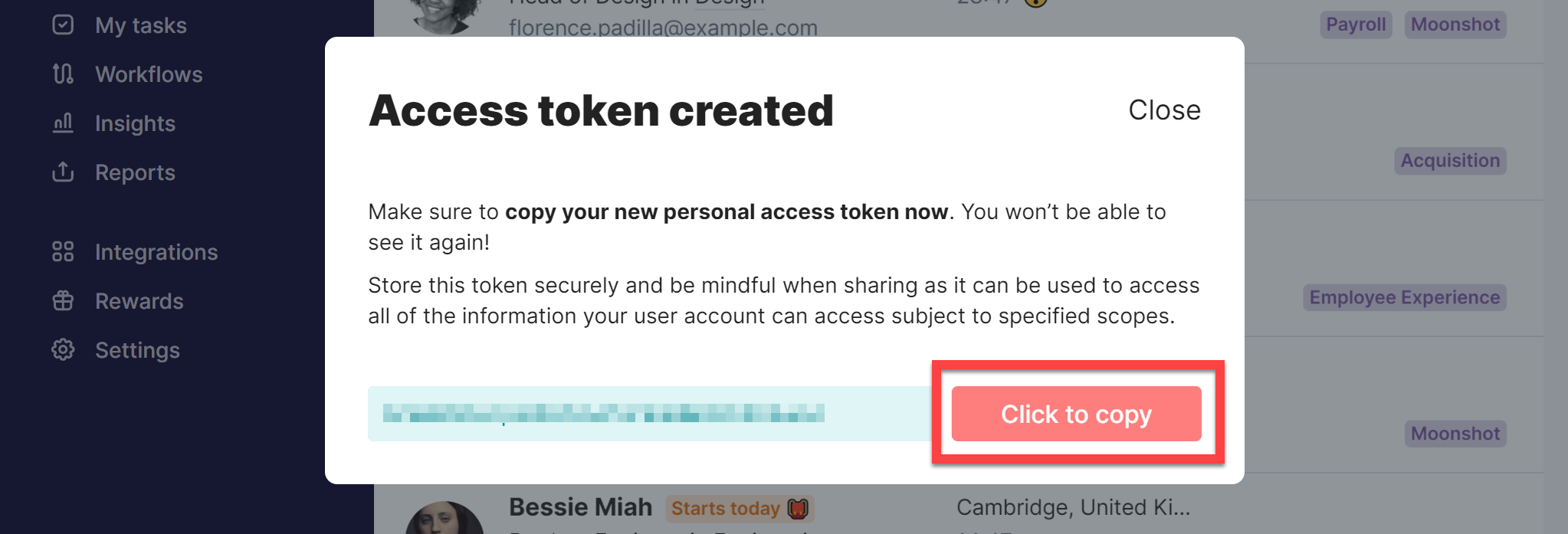
The new token will be shown. Click Click to copy and then paste this into SaaS Manager.
Comments
0 comments
Please sign in to leave a comment.