The 1Password SaaS Manager integration with Google Chat lets you send messages from Workflows to individual users or spaces, both public and private.
Installing the Marketplace app
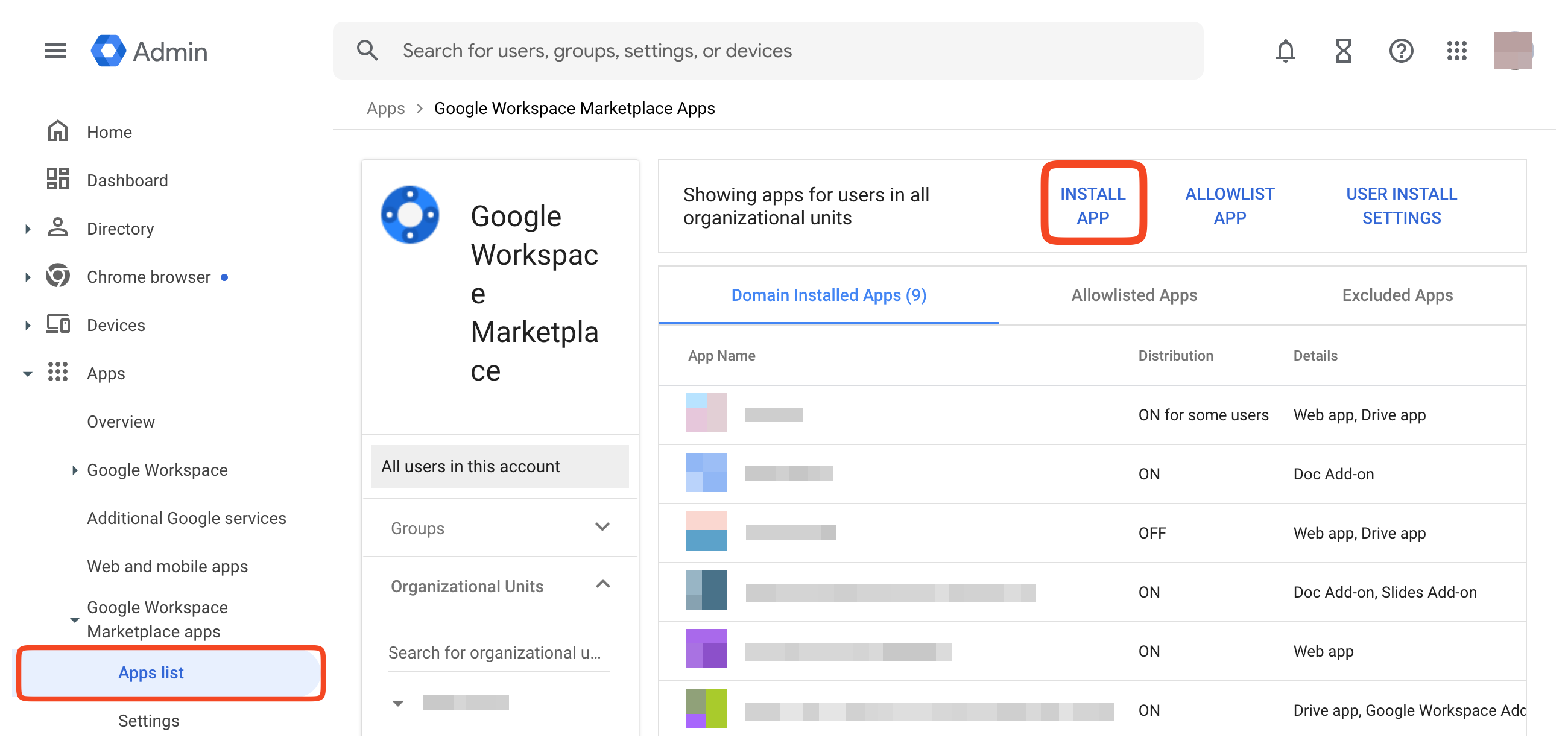
Log in to Google Workspace admin console. Go to Apps > Google Workspace Marketplace apps > Apps list.
Click Install app.
Search for 1Password Saas Manager and click Admin install.
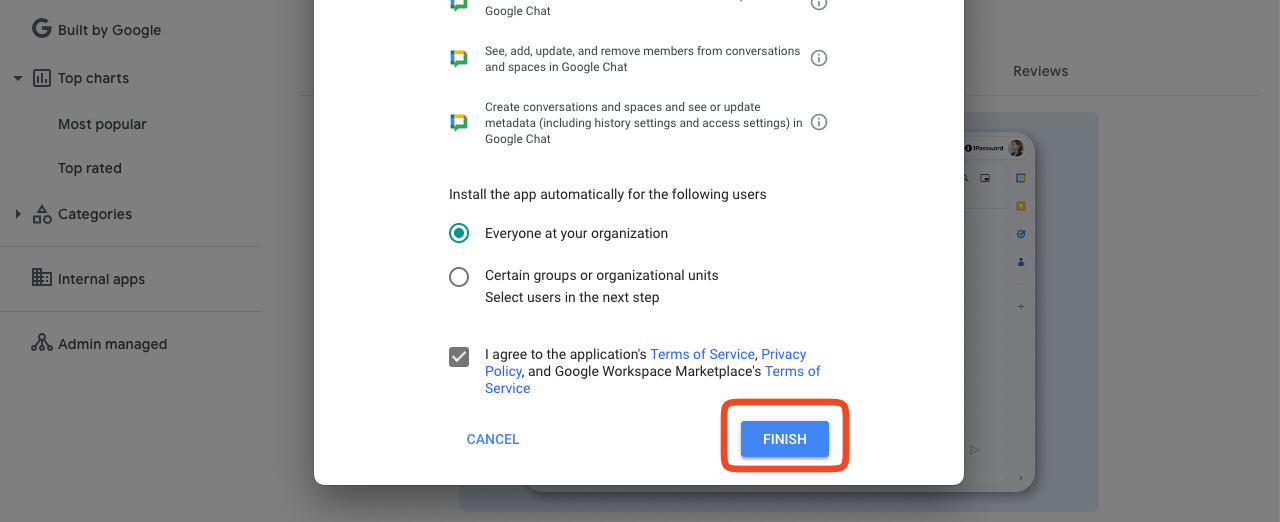
When asked, accept the Terms of Service and click Finish:
Configuring domain wide delegation
An additional step is required to allow SaaS Manager to send messages to users without them initiating the conversation.
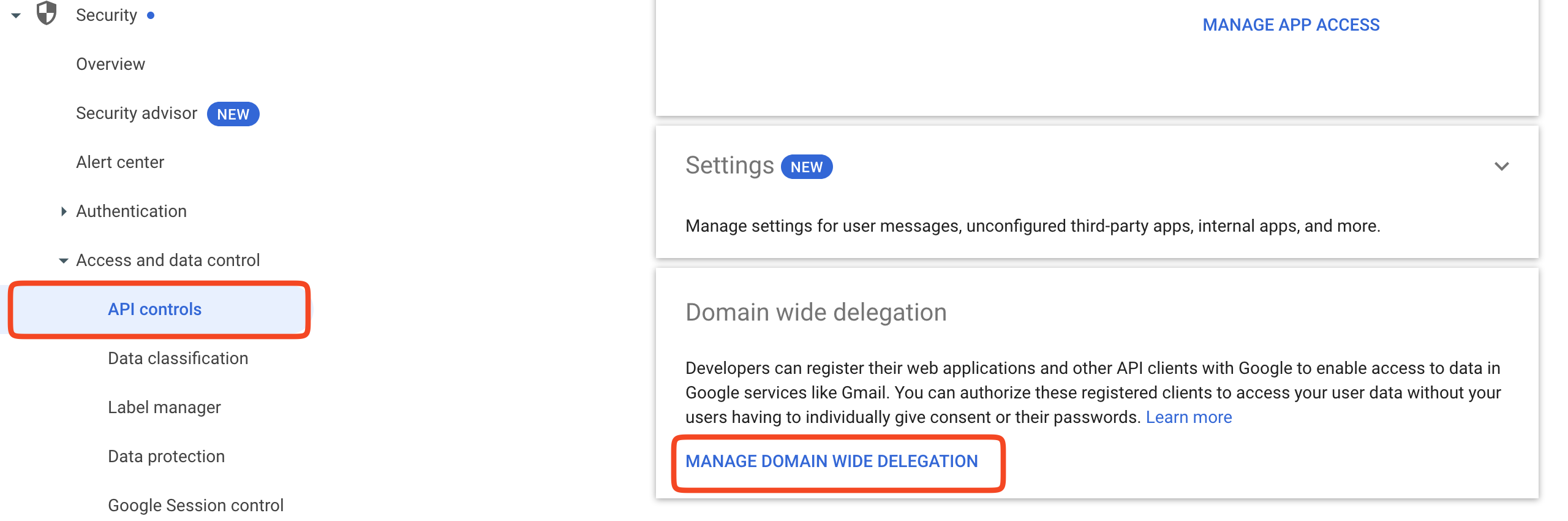
Log in to the Google admin console and go to Security > Access and data control > API controls.
Click Manage Domain Wide Delegation.
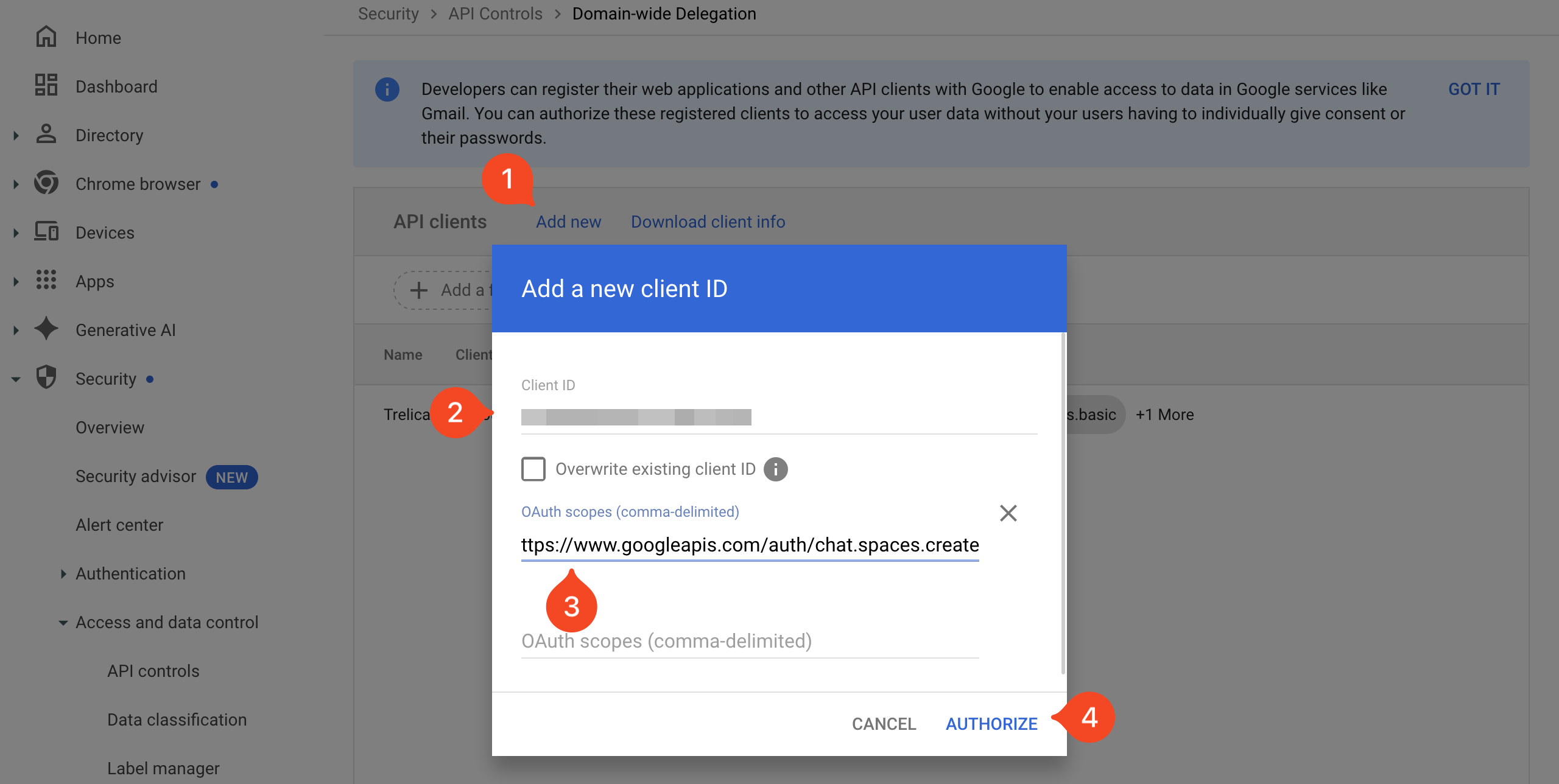
In the API clients panel click Add new and enter
Client ID: 10285 SWAP WITH PROD 2835
OAuth scope: https://www.googleapis.com/auth/chat.spaces.create
Click Authorize.
Checking the installation
You should see the newly installed app under Apps in Gmail.
Comments
0 comments
Please sign in to leave a comment.