- Log in to ChatGPT as a workspace administrator
- Click your profile icon at the bottom-left in ChatGPT
- Choose Workspace settings in the menu
- Choose Identity & Provisioning
- Scroll down to User Provisioning
- Under Directory Sync (SCIM) click Create Directory Connection
- Choose Custom SCIM
-
Follow the wizard to generate the URL and token
SaaS Manager will only read data by default, so it will not interfere if you already have an identity provider in charge of provisioning and deprovisioning.
If you don't have an identity provider managing users, then just select the Provisioning and Deprovisioning checkboxes when you connect from SaaS Manager.
Enabling Audit Logs Feature
The ChatGPT Enterprise audit logs require a "COMPLIANCE API KEY". This key is different than the one used for SCIM configuration.
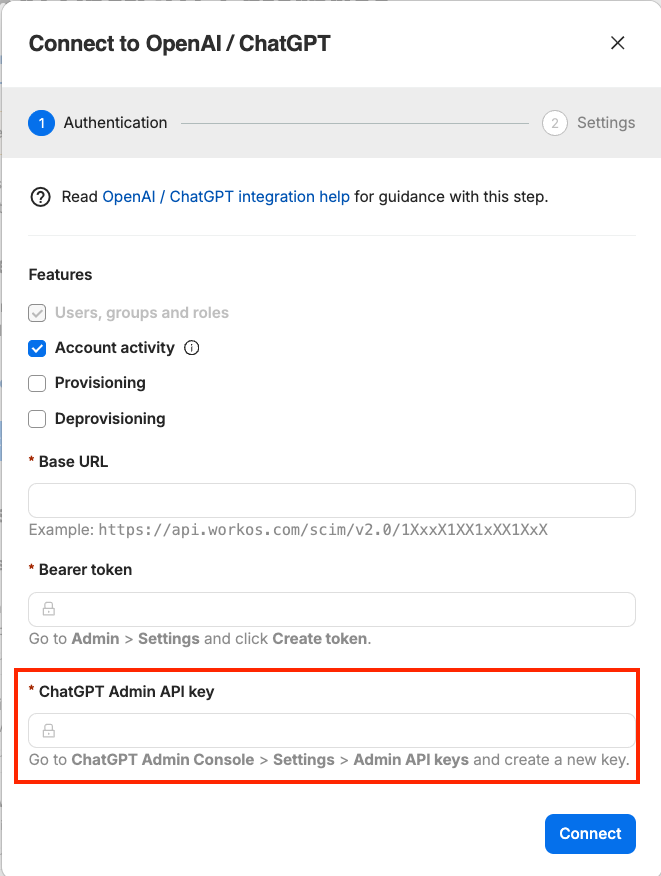
Log in to the ChatGPT Admin API portal
In the left-hand navigation, select the workspace you want to target, then choose the appropriate Project
-
Navigate to API keys
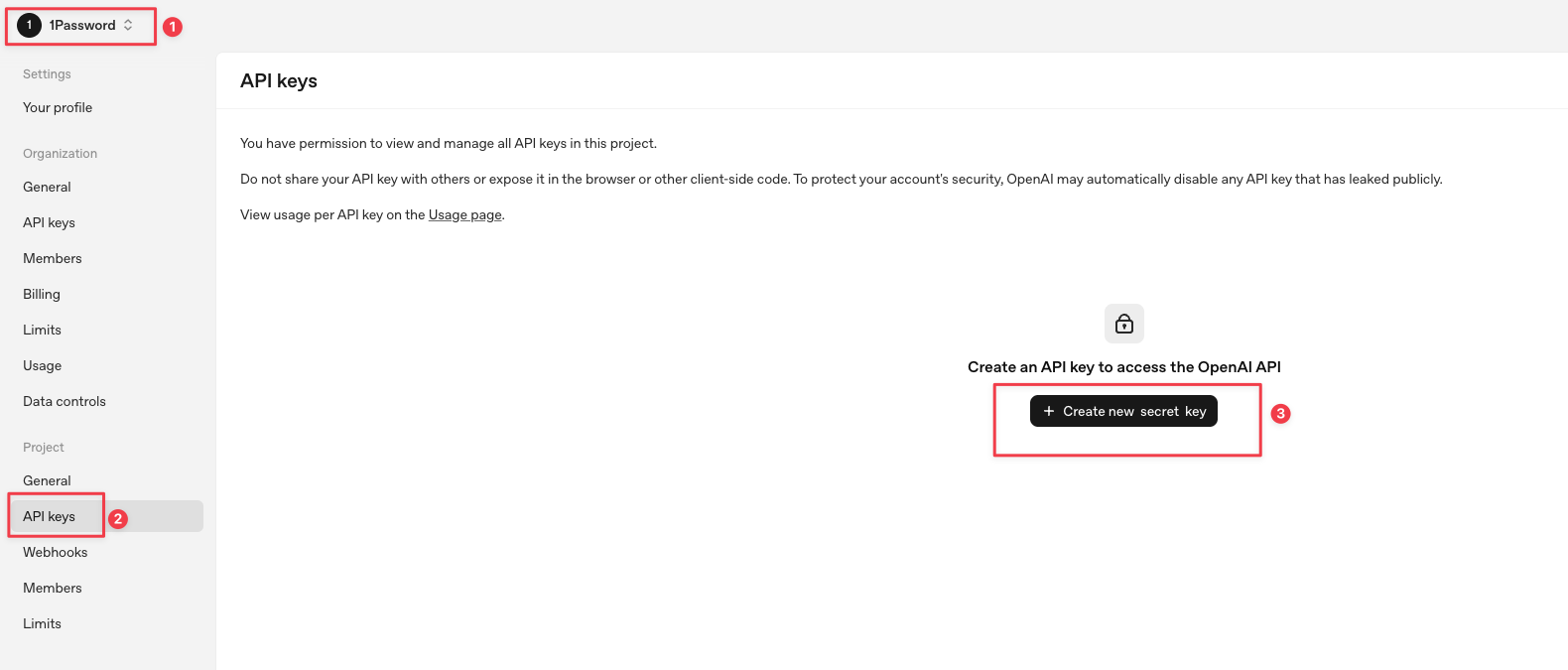
-
Create a Service Account:
Select Service Account
Enter a descriptive name for the service account
-
Select your Project from the dropdown
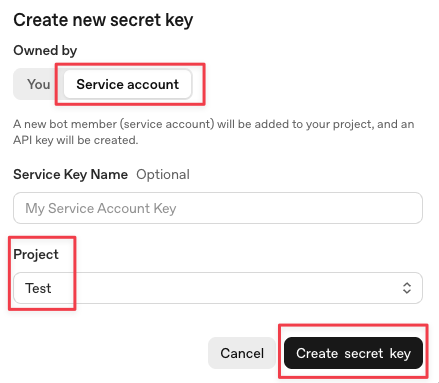
After the service account is created, copy the secret key and store it securely in your 1Password vault
After creating the new API key, OpenAI requires a manual step to configure the key so it is necessary to follow the rest of the instructions in the OpenAI Instructions for Authentication.
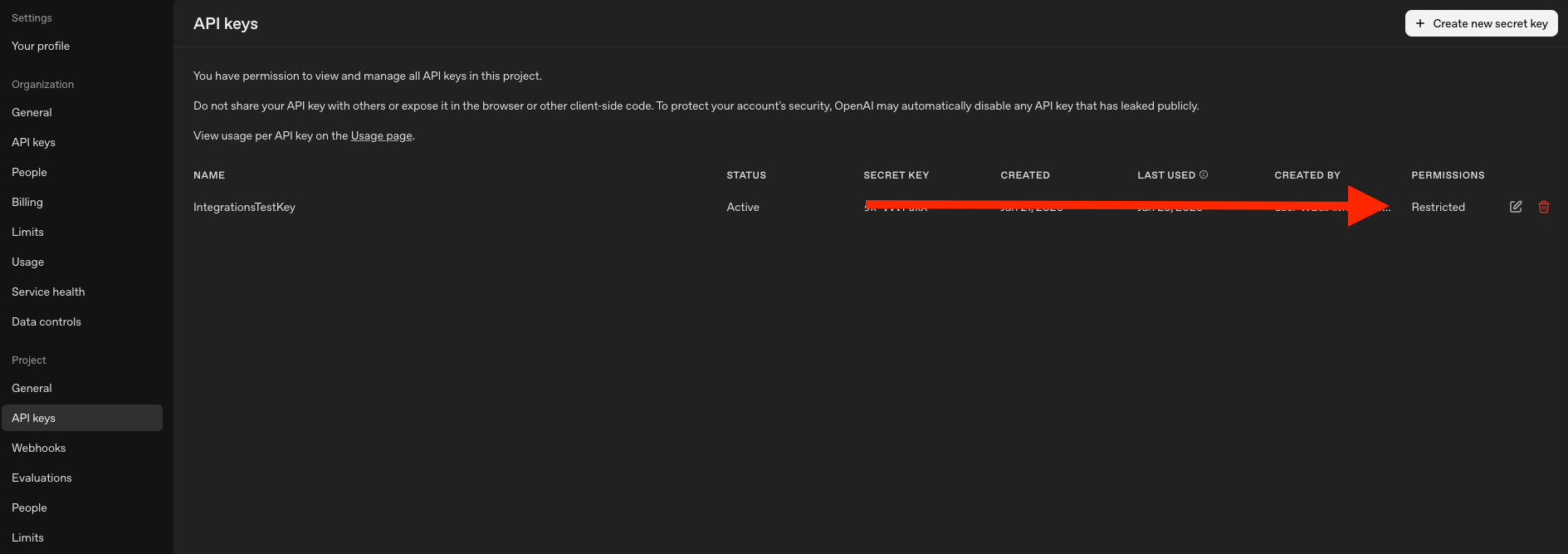
Once the API key has been configured correctly it should appear with the "Restricted" Permissions and be ready for use.
Comments
0 comments
Please sign in to leave a comment.