- Log in to Secureframe as a user with the Super Admin role.
- Click your profile in the top right corner.
- Select Company Settings.
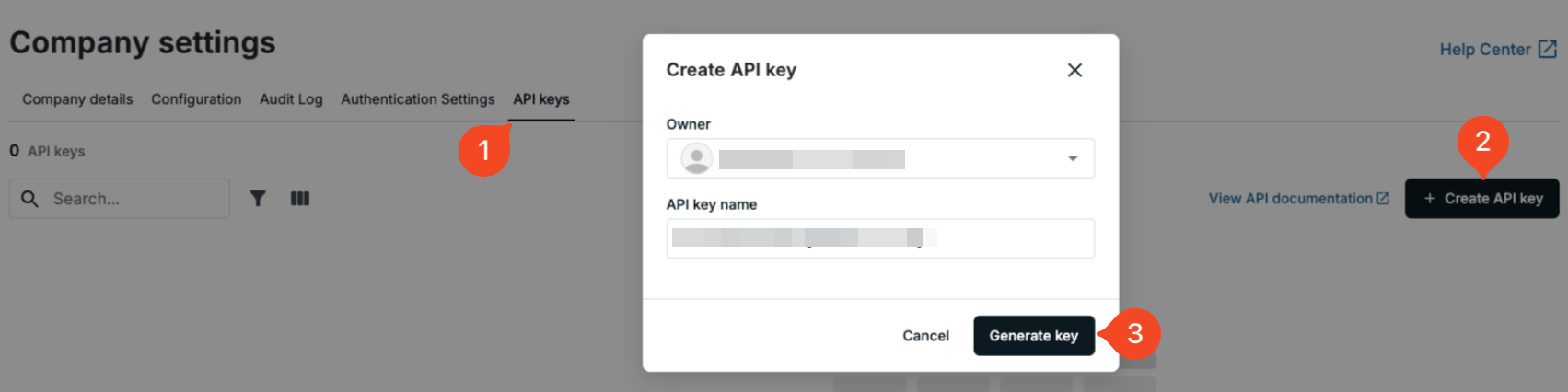
- Go to the API Keys tab.
- Click Create API Key on the right side.
- Choose an owner, enter a name for the key (e.g. '1Password SaaS Manager'), and click Generate Key.
You will need to paste both the API key and Secret into SaaS Manager.
Comments
0 comments
Please sign in to leave a comment.