The Vanta integration lets you manage Vanta users directly from 1Password SaaS Manager. This includes listing and offboarding users, and managing user groups. The Vanta integration also enables syncing SaaS Manager users to Vanta.
Note: 1Password SaaS Manager was previously named Trelica. Some commands and integrations still use or refer to Trelica. Follow directions as written to avoid errors.
Manage Vanta
Within Vanta, navigate to Settings > Developer console and select Create.
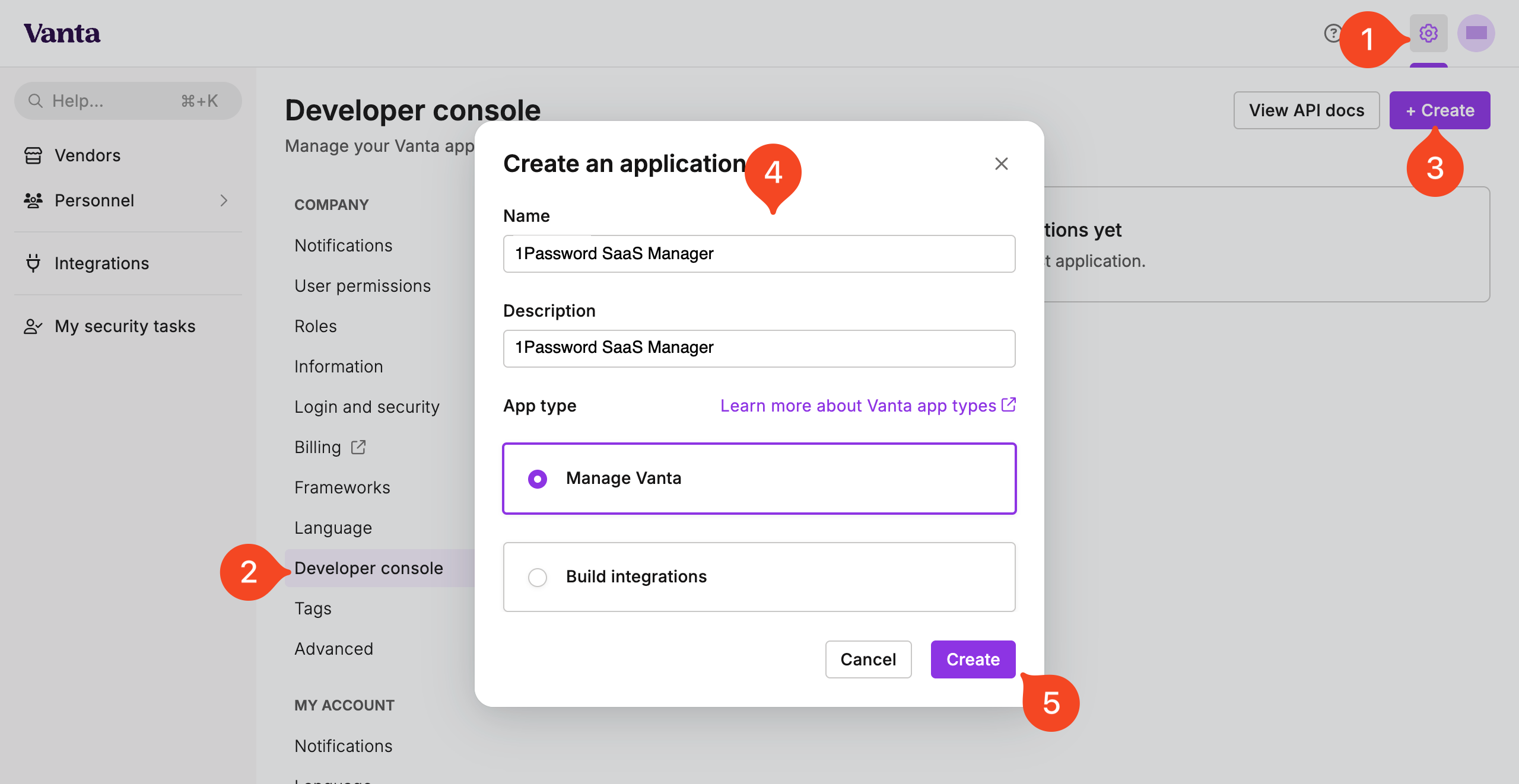
Give your application a name as well as a description.
Select Manage Vanta under app type, then select Create.
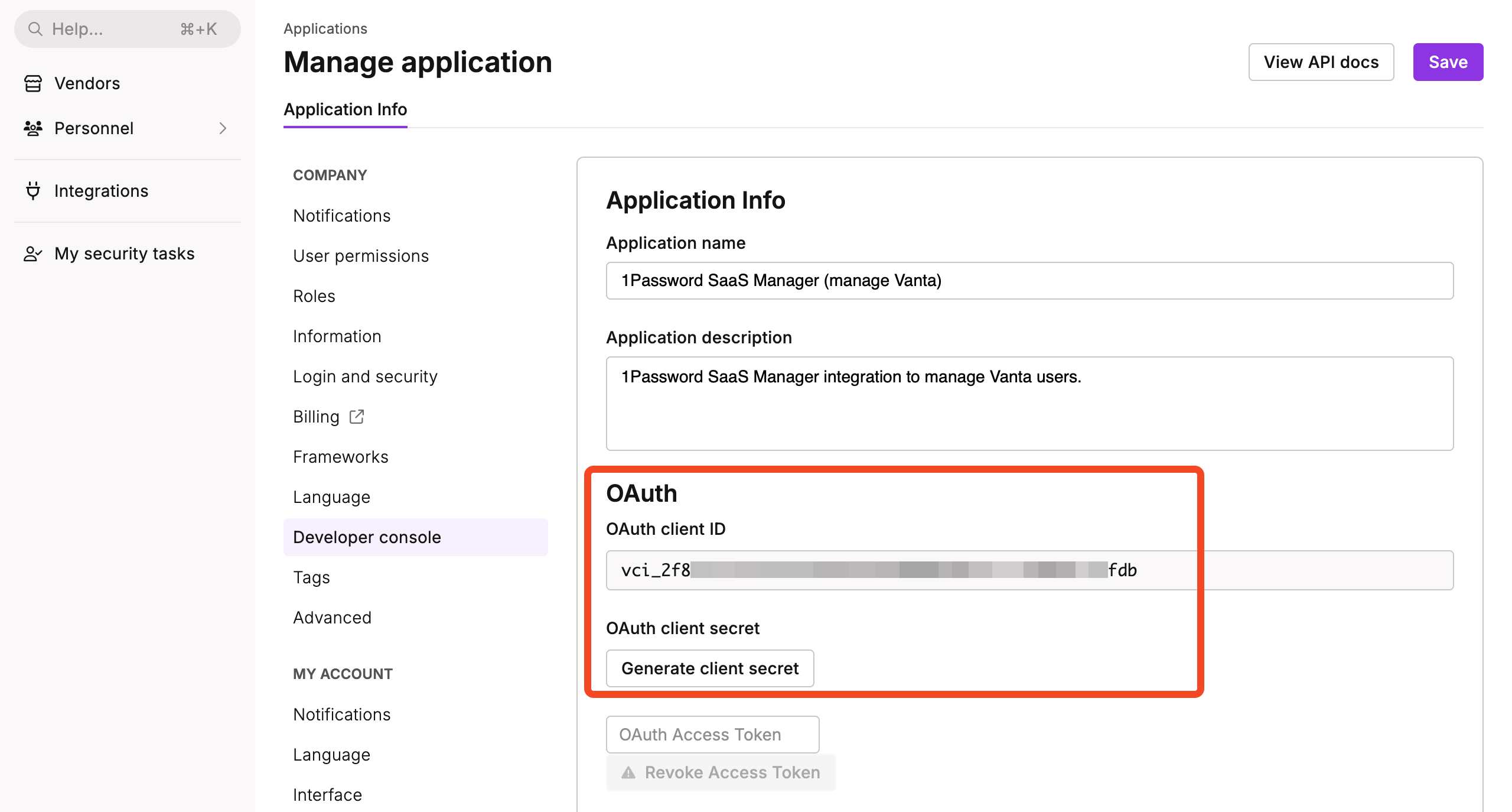
Select Generate client secret and then copy the OAuth client ID and OAuth client secret
Within SaaS Manager, navigate to Integrations > Vanta and select Connect. Paste the OAuth client ID and OAuth client secret you copied from Vanta into the appropriate fields in the connection dialog.
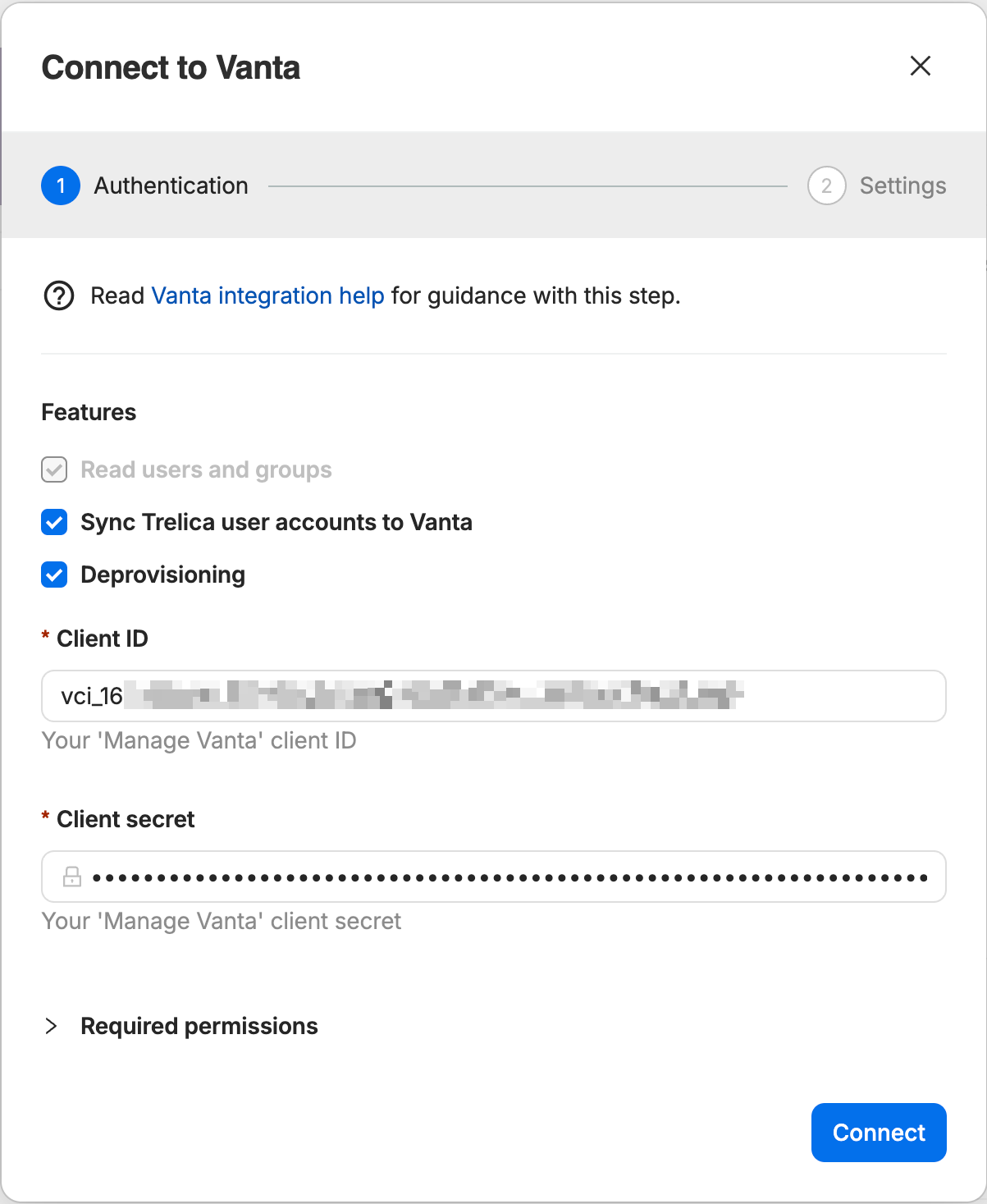
Vanta will prompt you to give consent for SaaS Manager to send user data to your Vanta account.
You will then be routed back to SaaS Manager where, if you selected Deprovisioning, you will be asked to select an Acknowledger. This is the user who will be recorded as completing an offboarding if you use the delete user action.
Once SaaS Manager has synced your users to Vanta, they will be available under Personnel > Access > Accounts.
Managing the connection from Vanta
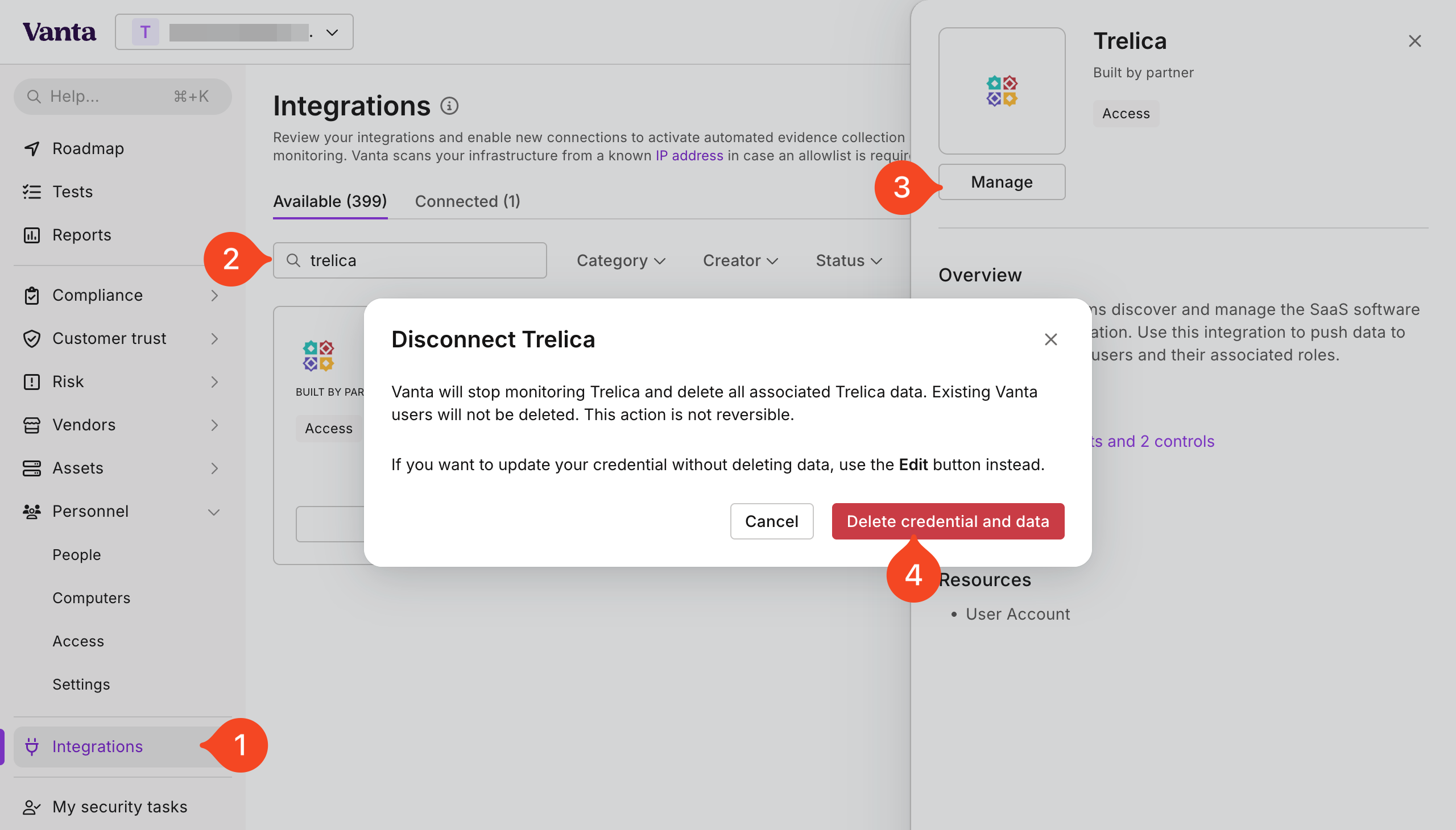
Log in to Vanta.
- Go to the Integrations page.
- Search for "Trelica".
- Click through to view the detail panel and click Manage.
- If you choose Delete you can disconnect your connection.
Comments
0 comments
Please sign in to leave a comment.