Discovery
When you first connect 1Password SaaS Manager to Okta, SaaS Manager will read in data about the applications configured in Okta, and users associated with those applications.
SaaS Manager also processes the Okta system log to find out when users logged in to applications through Okta. The first run will pull data from the past 90 days, and this history will then continue to build over time.
Onboarding
SaaS Manager can create users in Okta as part of an onboarding workflow, but this may not be necessary. Before building a provisioning workflow you should think through how Okta currently works with other applications in your IT landscape.
HR system → Okta
Your HR system may already be connected with Okta, which may also be provisioning to another Identity Provider such as Google Workspace.
In this configuration, the simplest initial solution is for SaaS Manager to connect to Okta as it requires minimal changes. SaaS Manager will read user data from Okta on a daily basis.
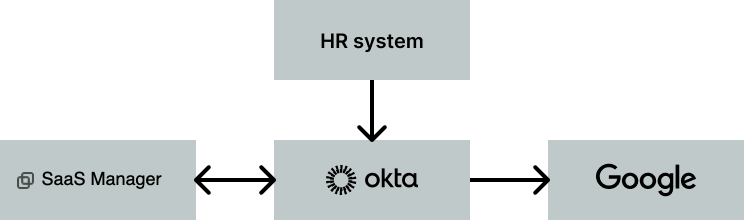
The SaaS Manager / Okta relationship is shown both ways, as you could also use an Okta webhook to notify SaaS Manager when a new user is added to Okta, although this is more relevant for time-sensitive processes like offboarding.
You can also consider a situation where users are staged in Okta prior to their start date, and then a SaaS Manager onboarding workflow activates the Okta user account at a specific time. This has the benefit that Okta can manage existing SCIM provisioning, but SaaS Manager can coordinate other tasks.
For this to be effective SaaS Manager will need to know the employee's start date, and ideally timezone. SaaS Manager will read these from custom fields in Okta.
By default, SaaS Manager checks the following field names:
| Location | location |
| Timezone | timezone |
| Personal email | personalEmail |
| Line manager |
manager, managerEmail, managerId
|
| Start date |
hireDate, startDate, employee_start_date
|
| Termination date |
termDate, terminationDate, future_termination_date
|
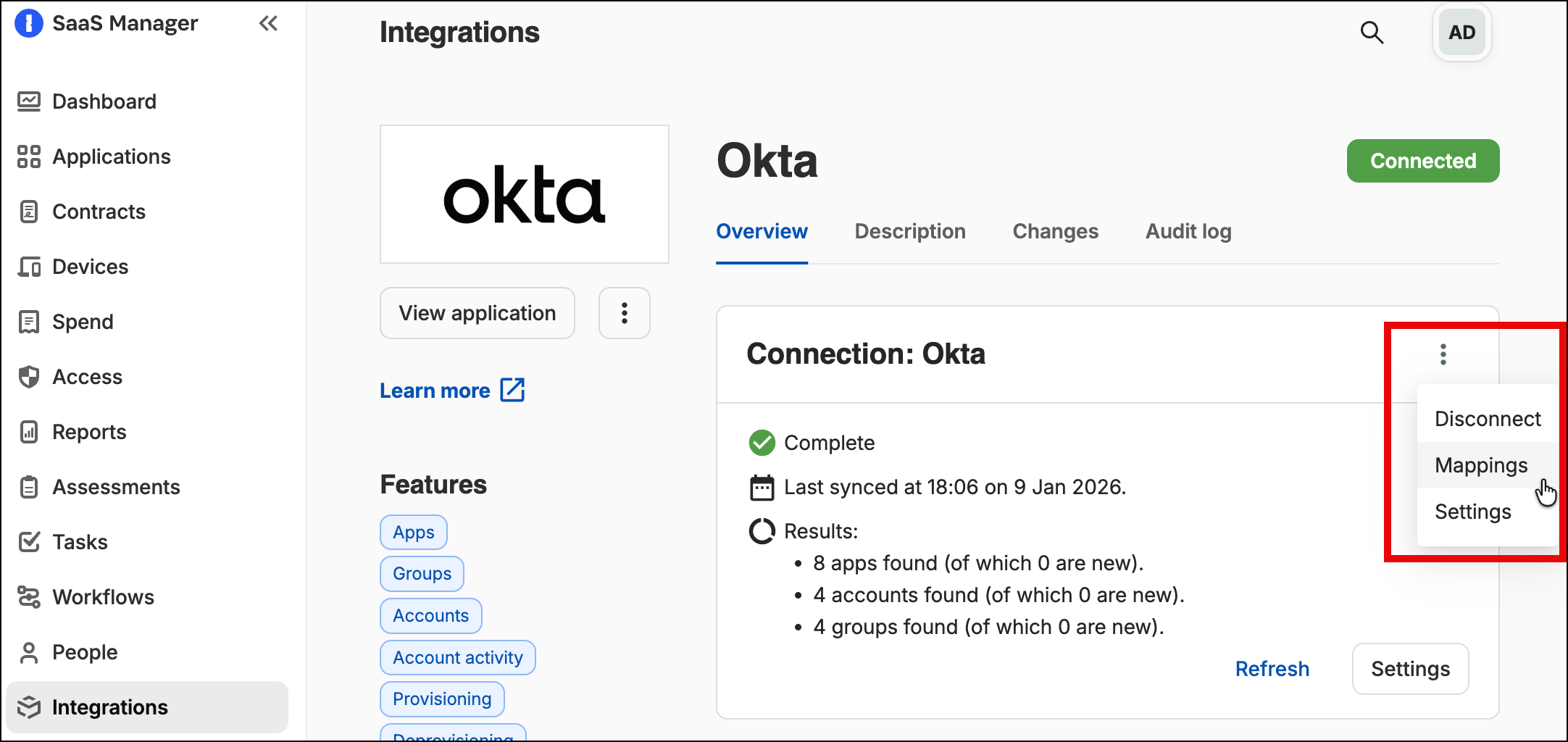
Additional fields can be configured by selecting Mappings once you've connected.
If you have any issues please contact saasmanager@1password.com.
Another variant of this approach is to have SaaS Manager create accounts in Google:
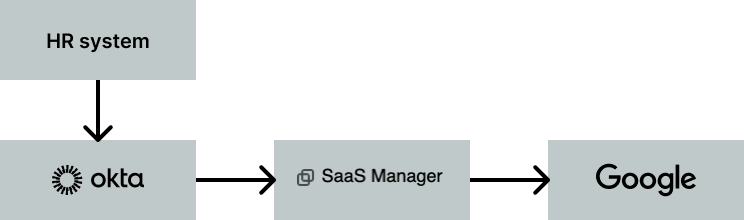
This works well if Okta is not managing much of the Google account and onboarding process, and where users are using separate credentials to log in to Google (i.e. they are not using Okta SSO to log in to Google).
HR system → SaaS Manager
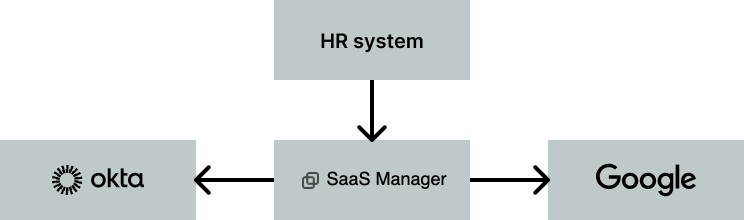
If your HR system is not currently synchronizing with Okta, or if Okta is only getting very limited information, it might be worth considering having SaaS Manager connect with your HR tool and then drive provisioning to Okta and Google.
This is particularly helpful if the HR integration for SaaS Manager can get start and termination dates and Okta can't.
Offboarding
Depending on how your HR system, SaaS Manager and Okta are connected the initiator for offboarding will vary.
If your HR system automatically deactivates an Okta account on a certain date
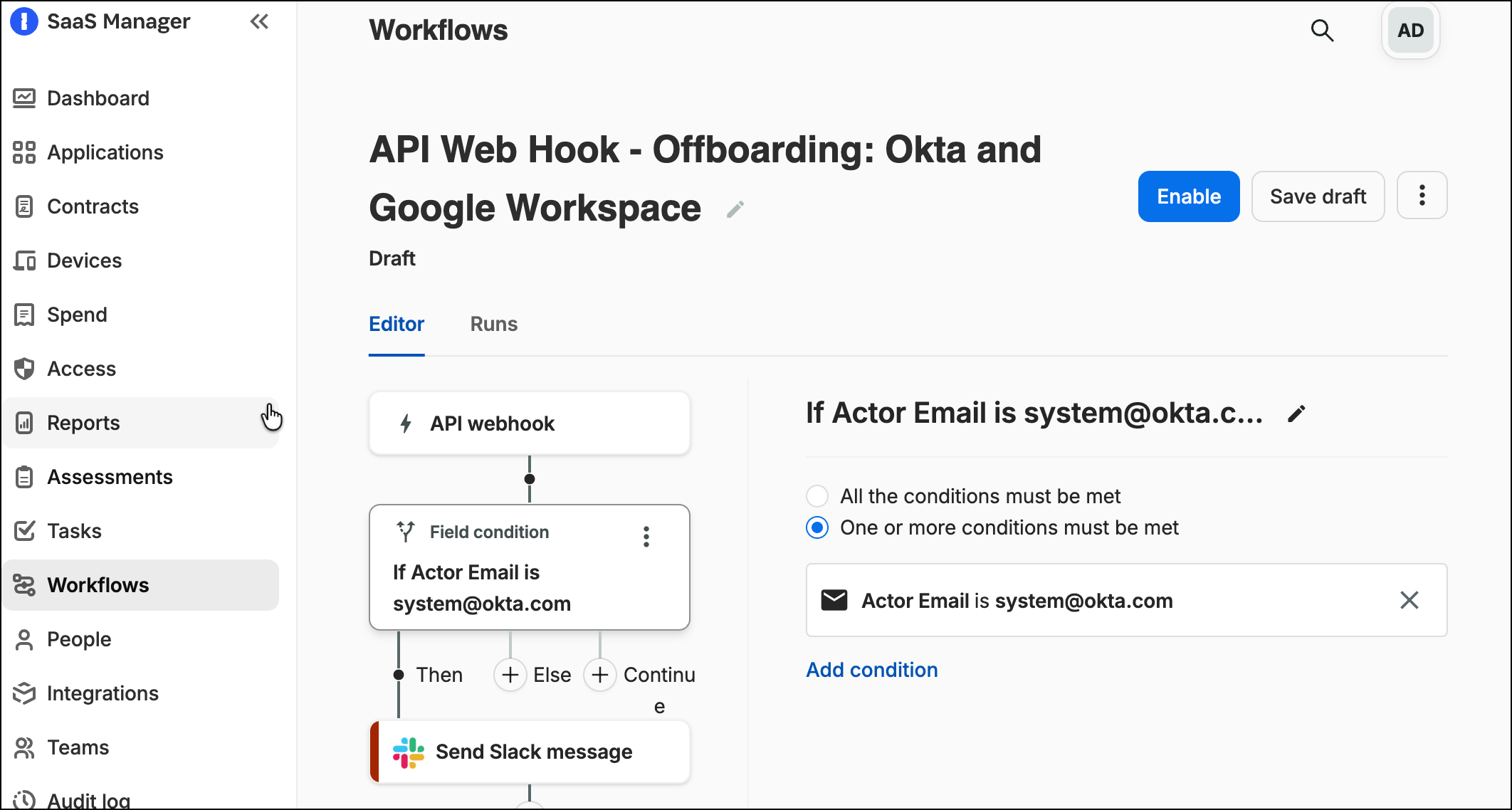
In this situation we recommend using an Okta webhook to trigger the SaaS Manager workflow when a user is suspended in Okta.
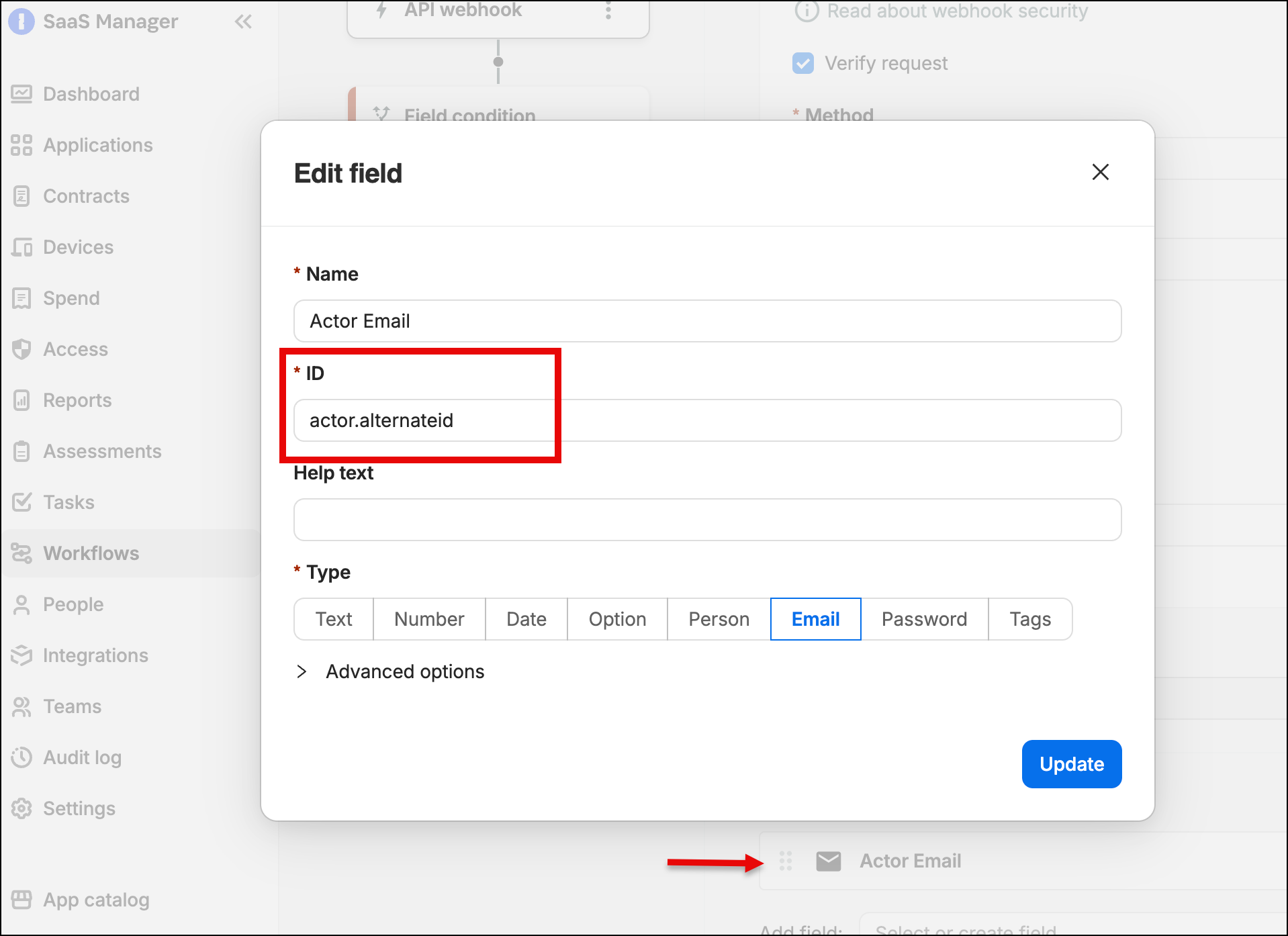
If you want to differentiate between a human and a synchronization process triggering the action then you can add an input field for the Okta actor, and check for system@okta.com.
If your HR system sets the termination date in Okta, or if SaaS Manager is connected to your HR system
Typically when Okta pulls the data from an HR system, then you will get a termination date which can be stored in an Okta profile field. It is then up to you to initiate offboarding at the right moment.
By passing the date to SaaS Manager, you can then have SaaS Manager initiates offboarding based on this date. SaaS Manager can run workflows for an employee based at a specific local time, which is very helpful when you want to offboard at 6pm local time, regardless of where an employee is based.
Offboarding
If the user isn't already deactivated in Okta then we recommend that the first thing you add to a SaaS Manager offboarding workflow for Okta is a Deactivate user step.
Deactivating the user in Okta will remove all the user's associations with apps and initiate any SCIM deactivation configured in Okta for the respective apps.
SaaS Manager also has a Reset password and recovery question action and a Revoke all active Okta sessions for a user action which can be useful.
You can add an explicit Remove user from groups action to a SaaS Manager workflow if you want to force Okta to remove group memberships.
After you have performed these actions you should consider using an Offboard person from apps step which will apply the SaaS Manager offboarding policy for applications the user has access to.
How does SaaS Manager deprovision users from Okta apps?
Okta associates users with apps to allow both SSO access and to manage SCIM provisioning (where configured).
When SaaS Manager deprovisions a user from an app then it will always try and remove the association in Okta too. This applies even if there's a direct integration from SaaS Manager with the app in question that will do the actual deprovisioning since you will still want to remove the SSO access.
Deprovisiong from an app occurs:
- during the Offboard person from apps workflow step
- when a Deprovisioning workflow action is run
- when the Okta Disassociate user from app workflow action is run
SaaS Manager will try to remove assignments in Okta as follows:
If the user is directly assigned to the application in Okta, then that assignment is removed.

If a user is assigned via a group which is associated with a single Okta application, then SaaS Manager will remove the user from the group.

However, if the group is associated with multiple Okta applications, SaaS Manager will leave the user as a member of the group, but convert the "group" assignment controlling the user's relationship with the application to an "individual" assignment. The individual assignment is then deleted.
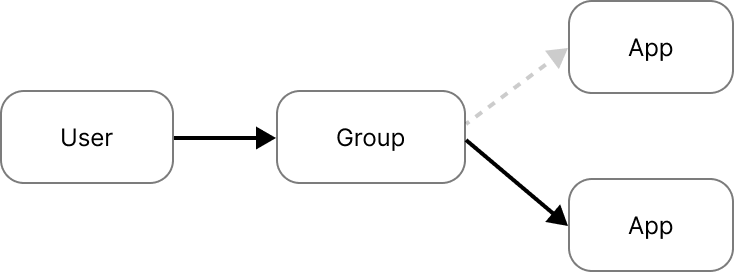
The benefit of this approach is that the user isn't removed from groups (in case this has side-effects), but their access to the application is removed, and Okta runs any configured SCIM actions.
Bear in mind that if you subsequently deactivate and then reactivate the user they will regain their Okta group membership, but won’t have access to the app as the assignment was converted and removed.
The solution is to restore the assignment.
The SaaS Manager Okta Add user to app workflow action will do this. If there are no possible group assignments the user will be directly assigned, but if the assignment can be converted back to a group assignment then this is done.
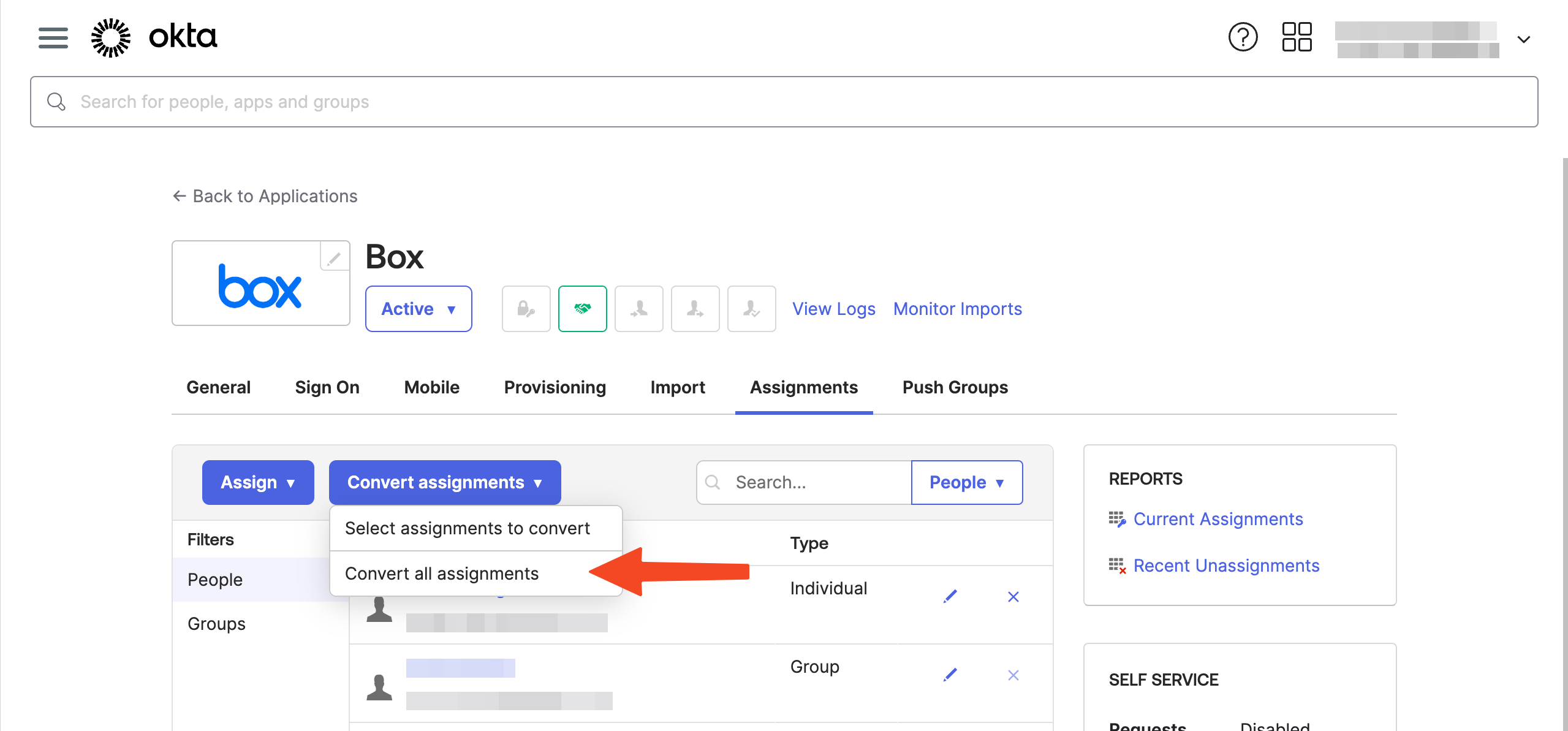
This can also be done in the Okta UI by converting assignments.
Access requests
If Okta is configured to create users in an application via SCIM, then you will see an Okta provisions in (app) button in the provisioning section of the Access level.
You can then select whether SaaS Manager will assign directly to an Okta app, or whether assignment should be via an Okta group (where the group is configured to provision that app).
Comments
0 comments
Please sign in to leave a comment.