To get access to the Paylocity API you need to request and fill in a PDF form from Paylocity.
The form is mostly self-explanatory but there's a full Paylocity knowledge-base article if you need help.
Key points:
- Vendor/Third-Party Contact Information: Use saasmanager@1password.com as the third-party contact information.
- Who Gets The Credentials: Credentials should be sent to you as the customer rather than 1Password SaaS Manager.
- Automated API Renewal Email: Credentials expire after 12 months - the renewal email is best going to a shared mailbox managed by your IT team.
-
Request Type is for Production

-
Open API Access: Select the 'Restricted' version of 'Get Employee'
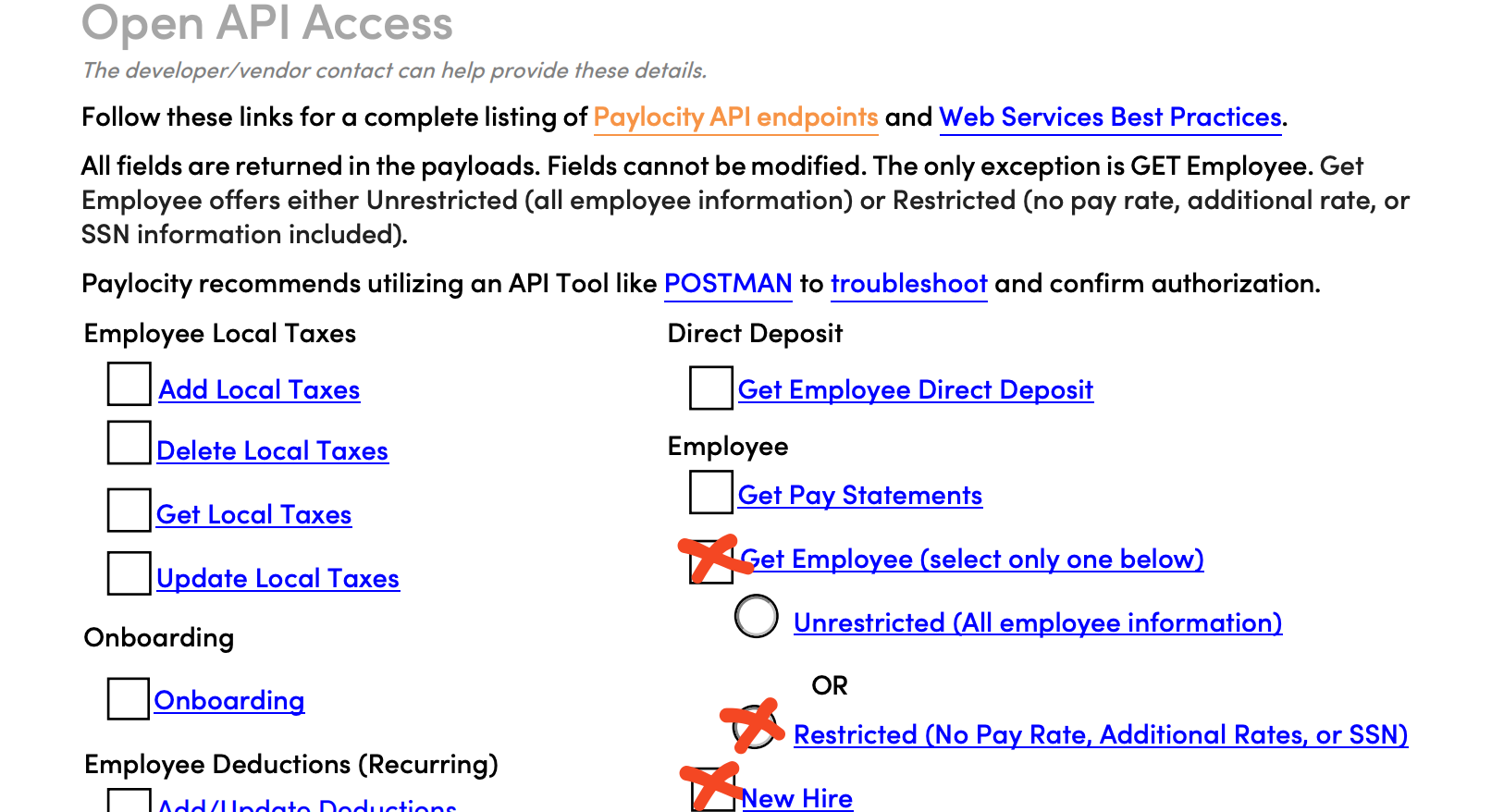
- Webhook Push Notifications: these are not required for SaaS Manager.
To connect SaaS Manager to Paylocity you will need to provide the Client ID and Client Secret provided by Paylocity, as well as entering your Paylocity Company ID.
Fields imported from Paylocity are:
- Employee ID
- Preferred name
- Work email
- Work location
- Job title
- Cost center
- Last hire date
- Termination date
- Personal email (SaaS Manager can clear this 2 weeks after the employee joins)
Optionally you can include the employee's home address.
Comments
0 comments
Please sign in to leave a comment.