Note: 1Password SaaS Manager was previously named Trelica. Some commands and integrations still use or refer to Trelica. Follow directions as written to avoid errors.
Click on the icon with your initials in the top-right and choose Your Profile:

Choose My Apps and click Create My App:

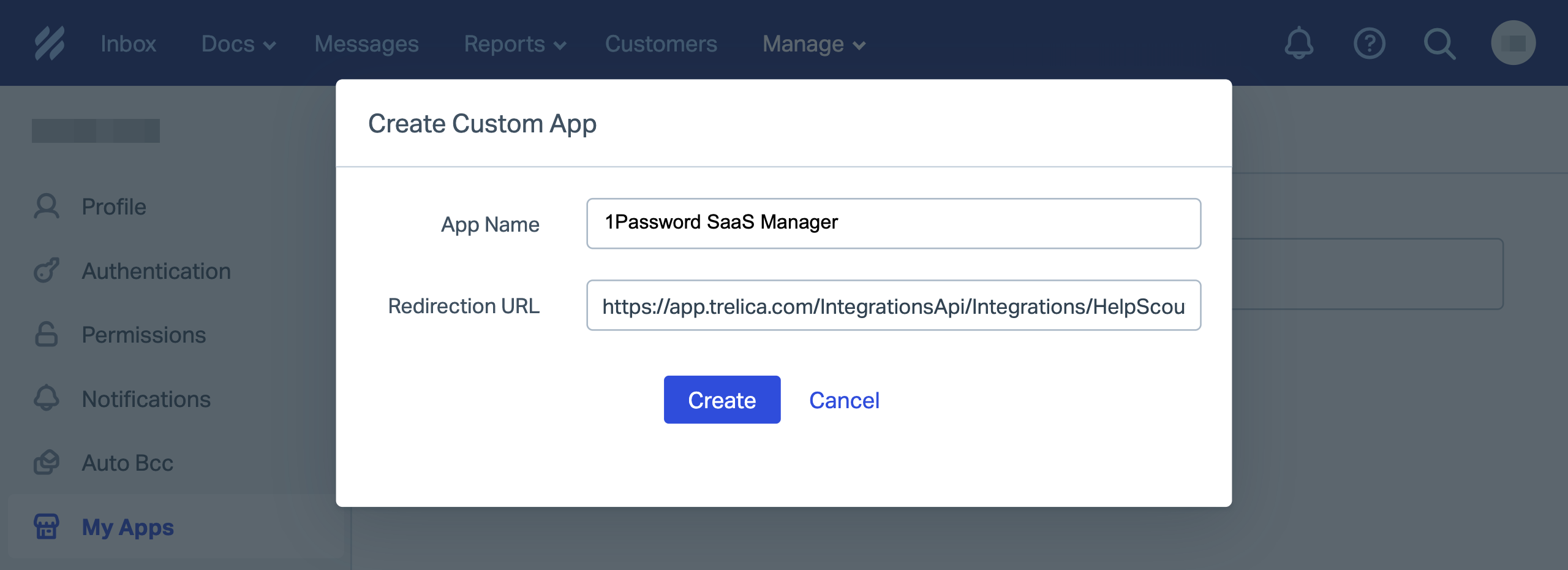
You will be asked for an App Name (e.g. '1Password SaaS Manager') and a Redirection URL.
This is not required since SaaS Manager connects using the so-called 'OAuth Client Credentials', but it's mandatory in HelpScout, so you can enter this URL:
The URL required will vary depending on whether you are using the trelica.app or trelica.eu environments:
https://app.trelica.com/IntegrationsApi/Integrations/HelpScout/AuthCallback https://eu.trelica.com/IntegrationsApi/Integrations/HelpScout/AuthCallback
Click Create:
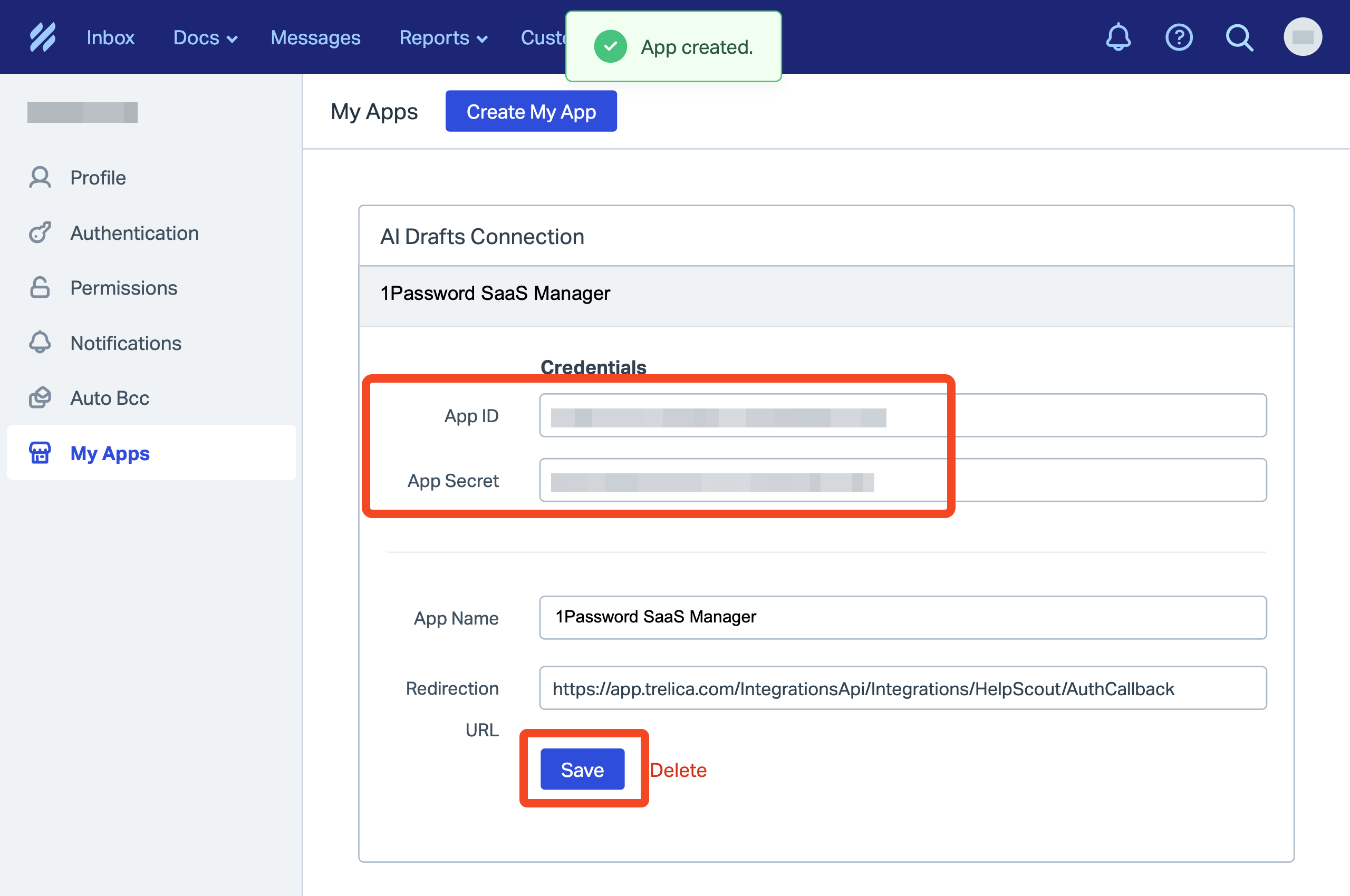
You will be notified that the app has been created.
Copy and paste the App ID and App Secret into SaaS Manager.
Don't forget to click Save.
Comments
0 comments
Please sign in to leave a comment.