When you try to connect Panther to 1Password SaaS Manager you will be asked for an API Token and API URL. This guide explains how to provide these parameters.
Creating a Panther API Token
You must have the Admin role in order to create an API Token.
From the Panther dashboard, click the gear icon in the top right and select API Tokens: 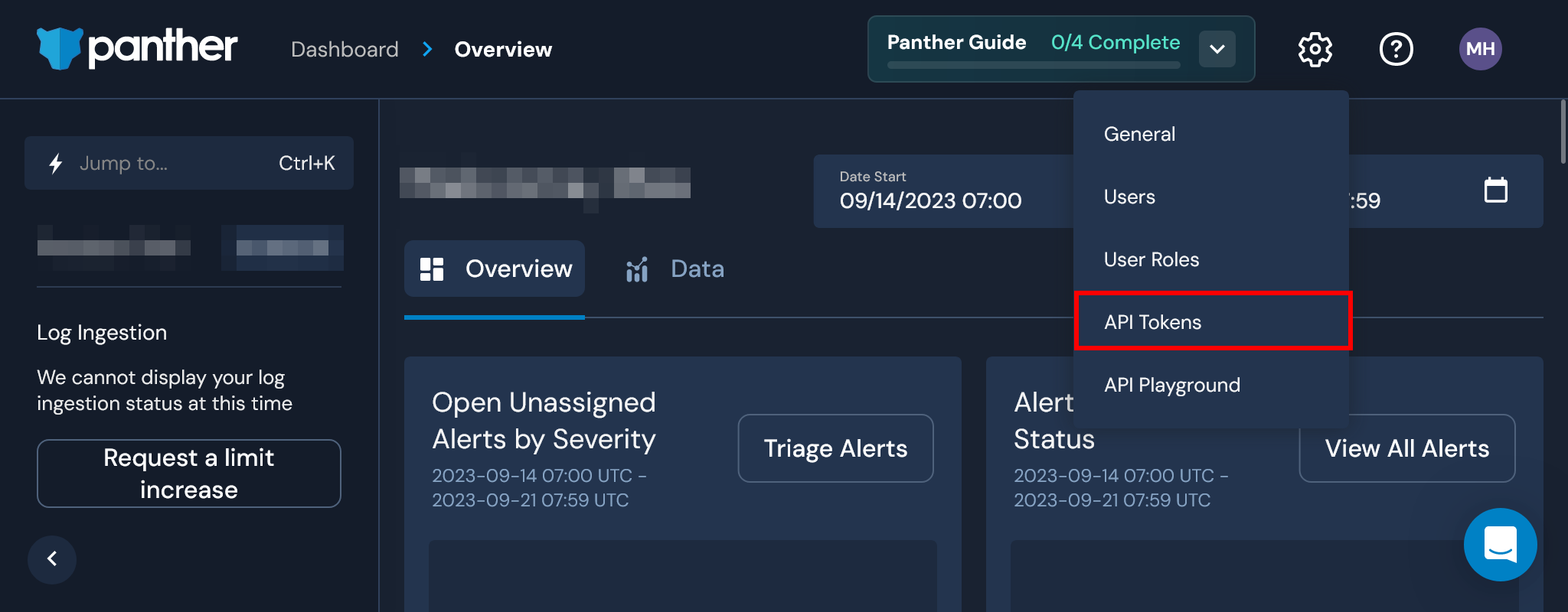
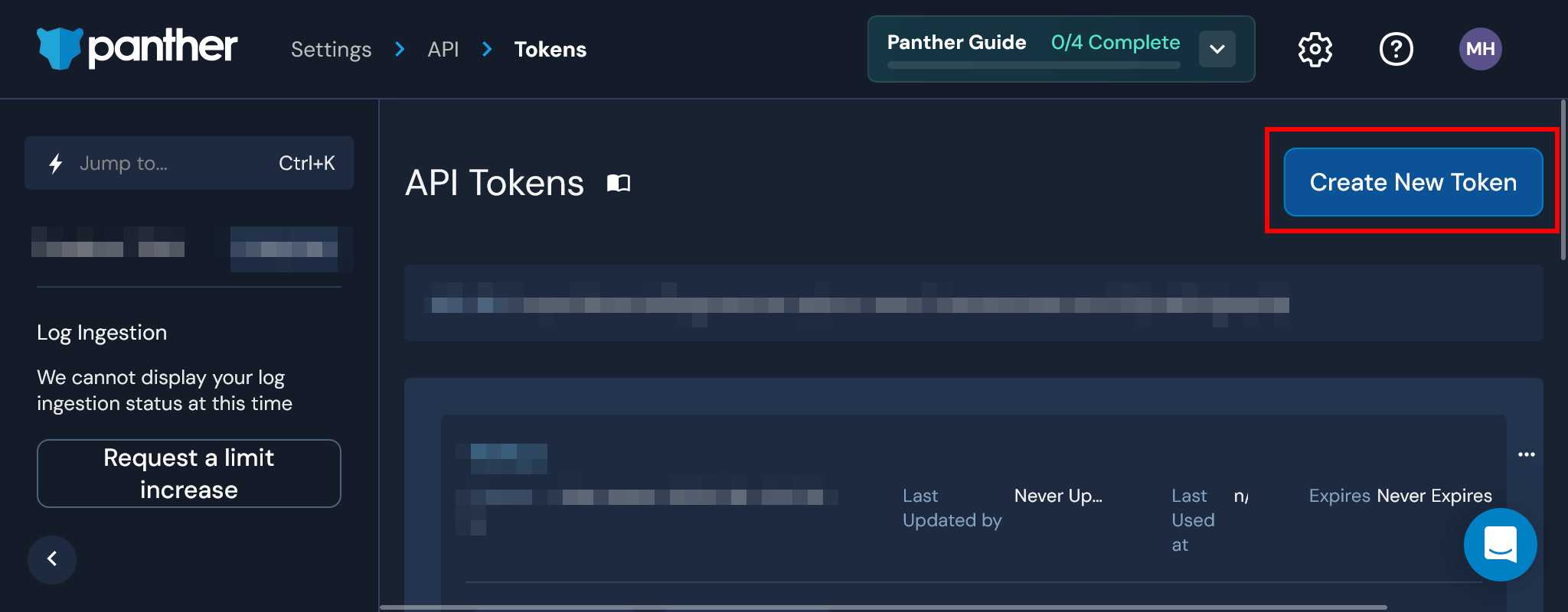
Click the Create New Token button:
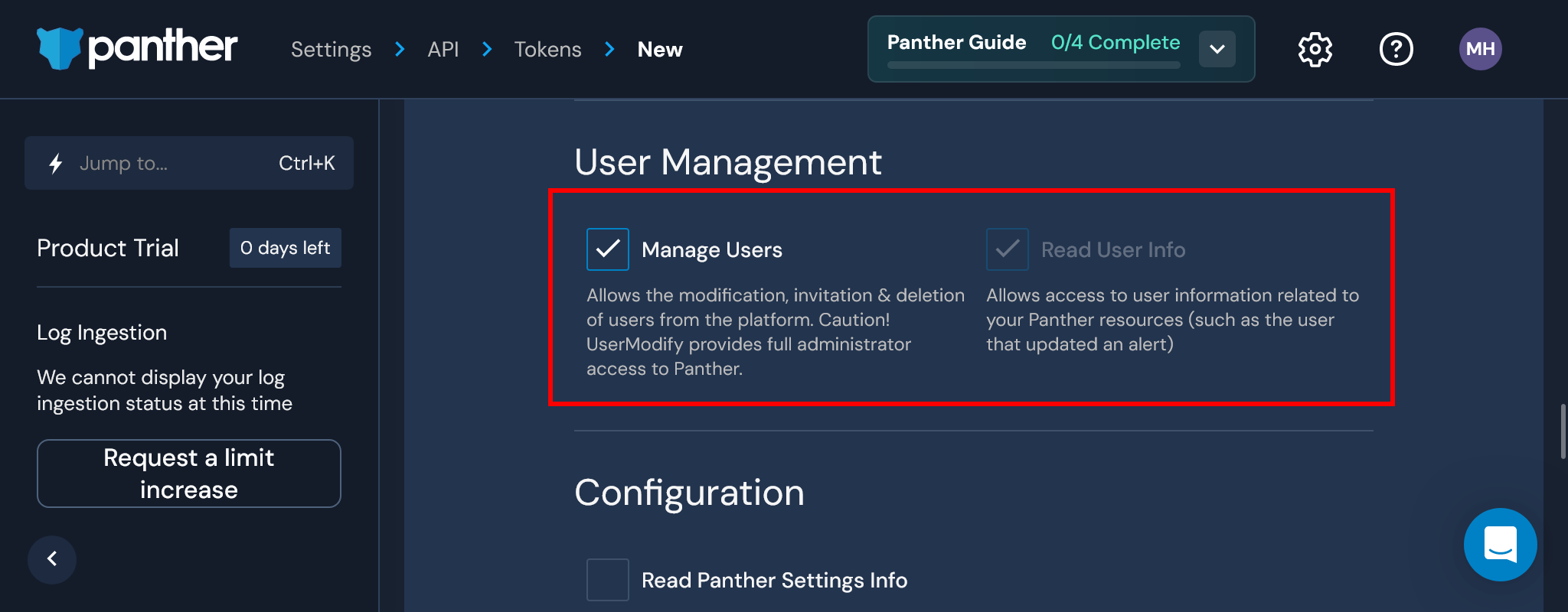
Under User Management, select the Manage Users and Read User Info scopes:
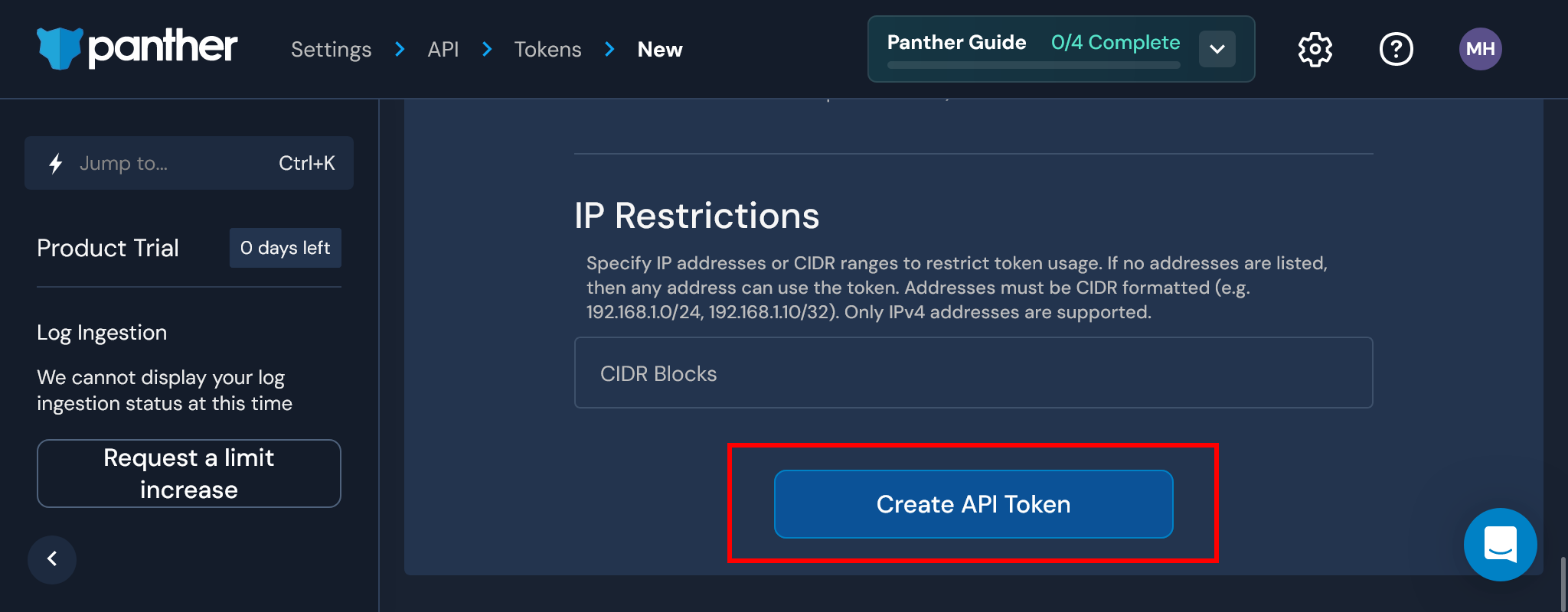
Click Create API Token at the bottom of the screen:
We recommend restricting access based on IP address.
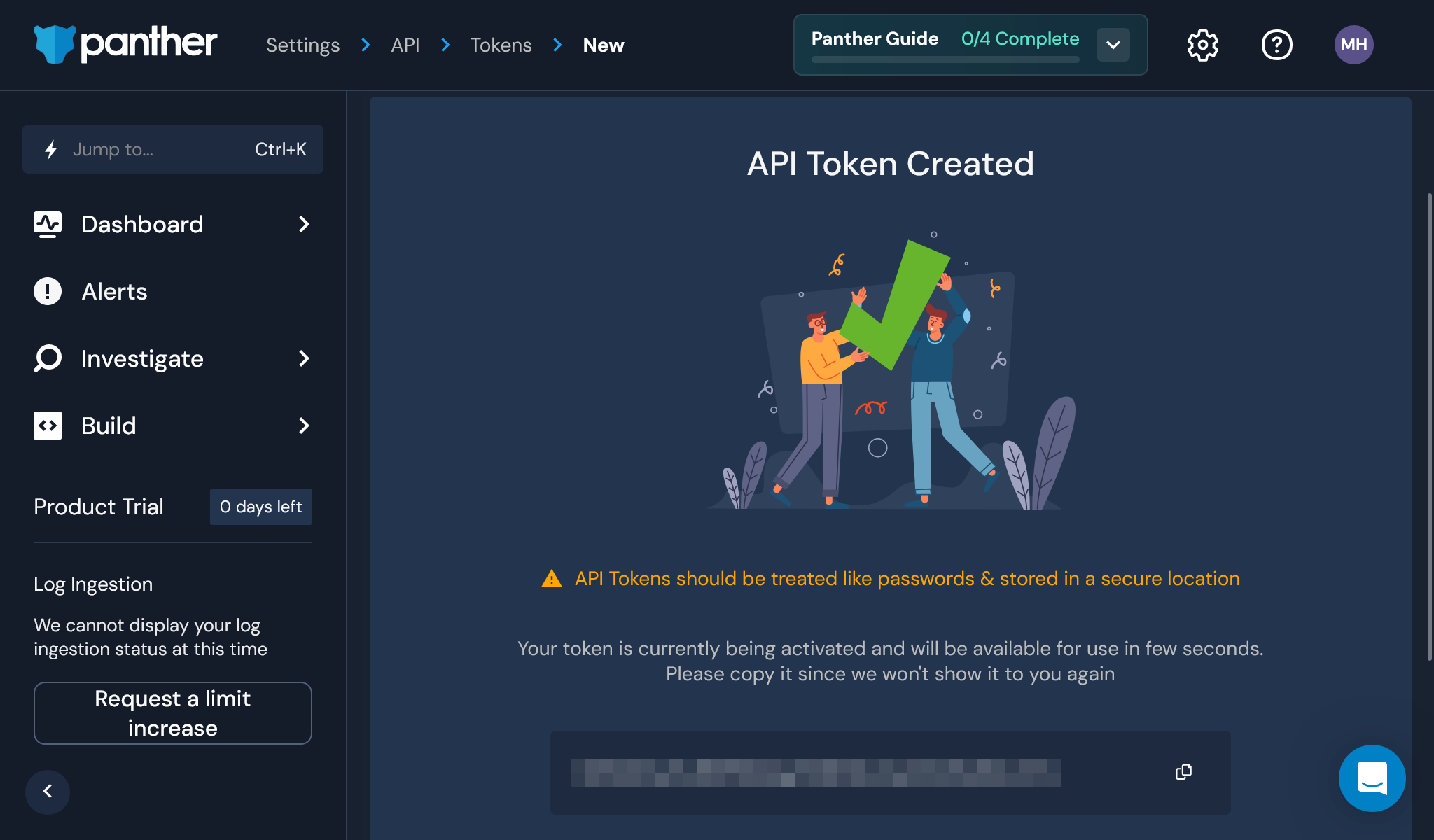
You may now copy your API Token into SaaS Manager:
Acquiring your Panther API URL
From the Panther dashboard, click the gear icon in the top right and select API Tokens:
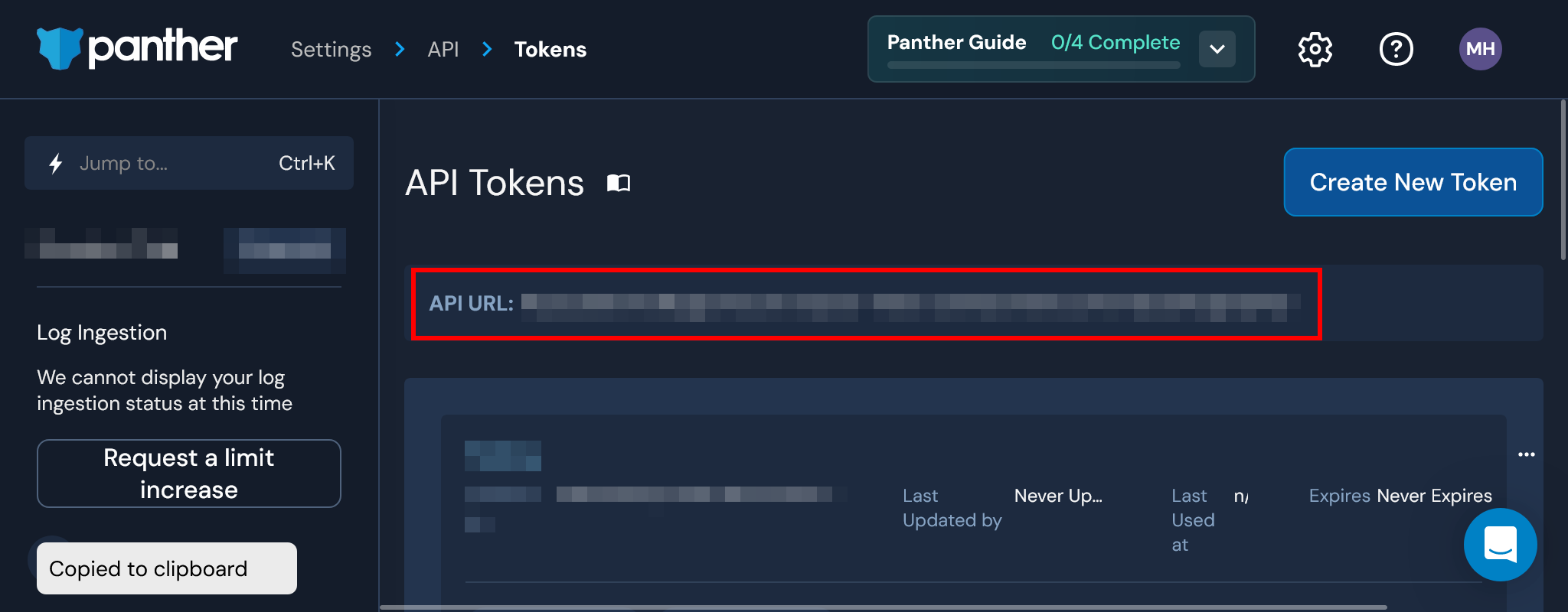
Click anywhere inside the API URL box to copy the URL to your clipboard:
Comments
0 comments
Please sign in to leave a comment.