When connecting NinjaOne to 1Password SaaS Manager you'll be asked for a Client ID and Client Secret. This article explains how to obtain them.
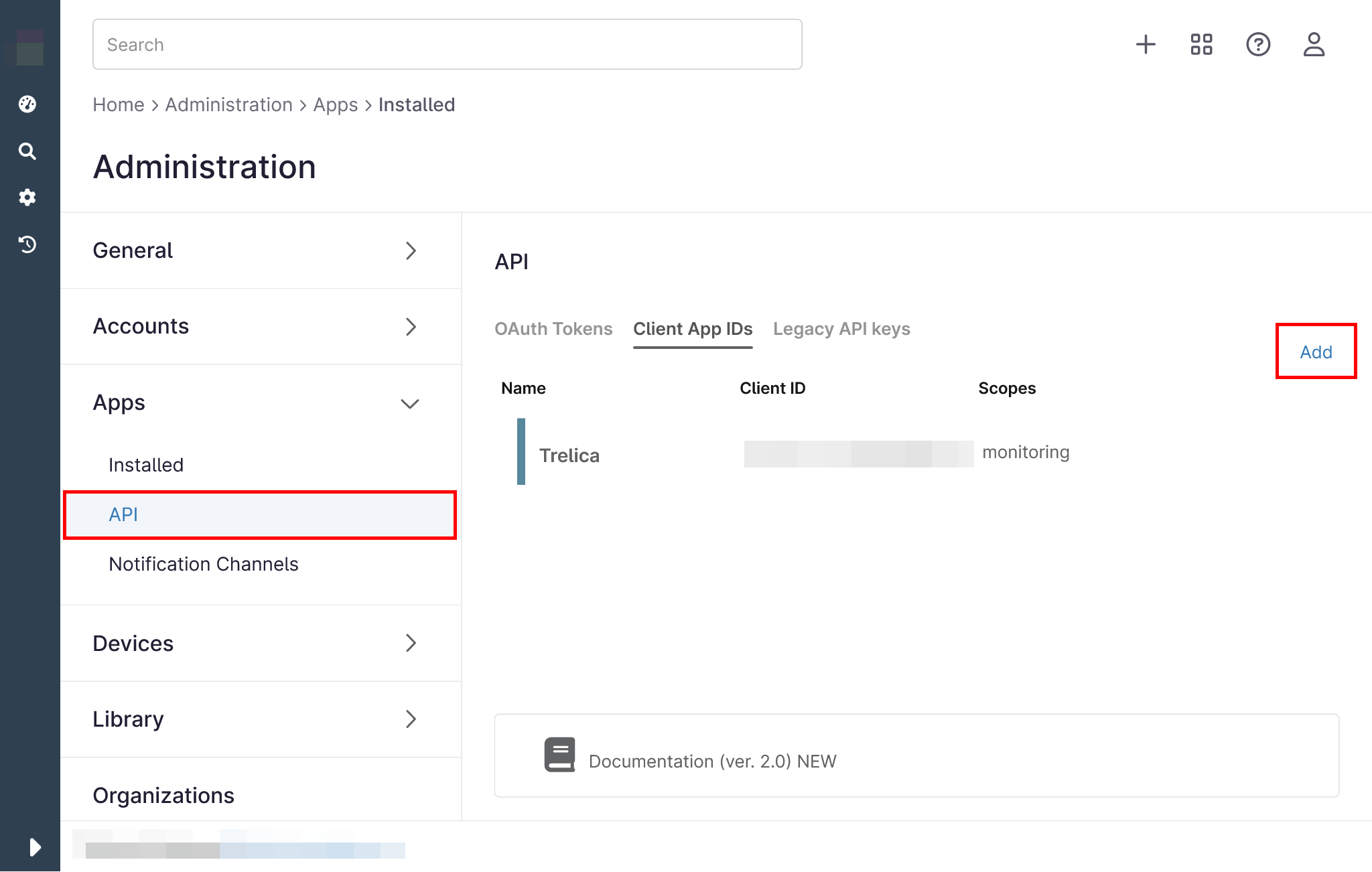
1. Open the NinjaOne dashboard and navigate to the Administration tab:
2. Under Apps, select API, then select Add.
3. Select API Services (machine-to-machine) from the dropdown list:

4. Enter the following details into the form:
- Name: SaaS Manager
- Scopes: Monitoring
- Allowed Grant Types: Client Credentials
5. Click the Save button in the top right and you will be presented with a Client Secret. Copy this to your clipboard.
6. Click the Close button in the top right and you will see the newly created app with its Client ID. Copy the Client ID to your clipboard.
More information can be found in the NinjaOne API documentation.
Comments
0 comments
Please sign in to leave a comment.