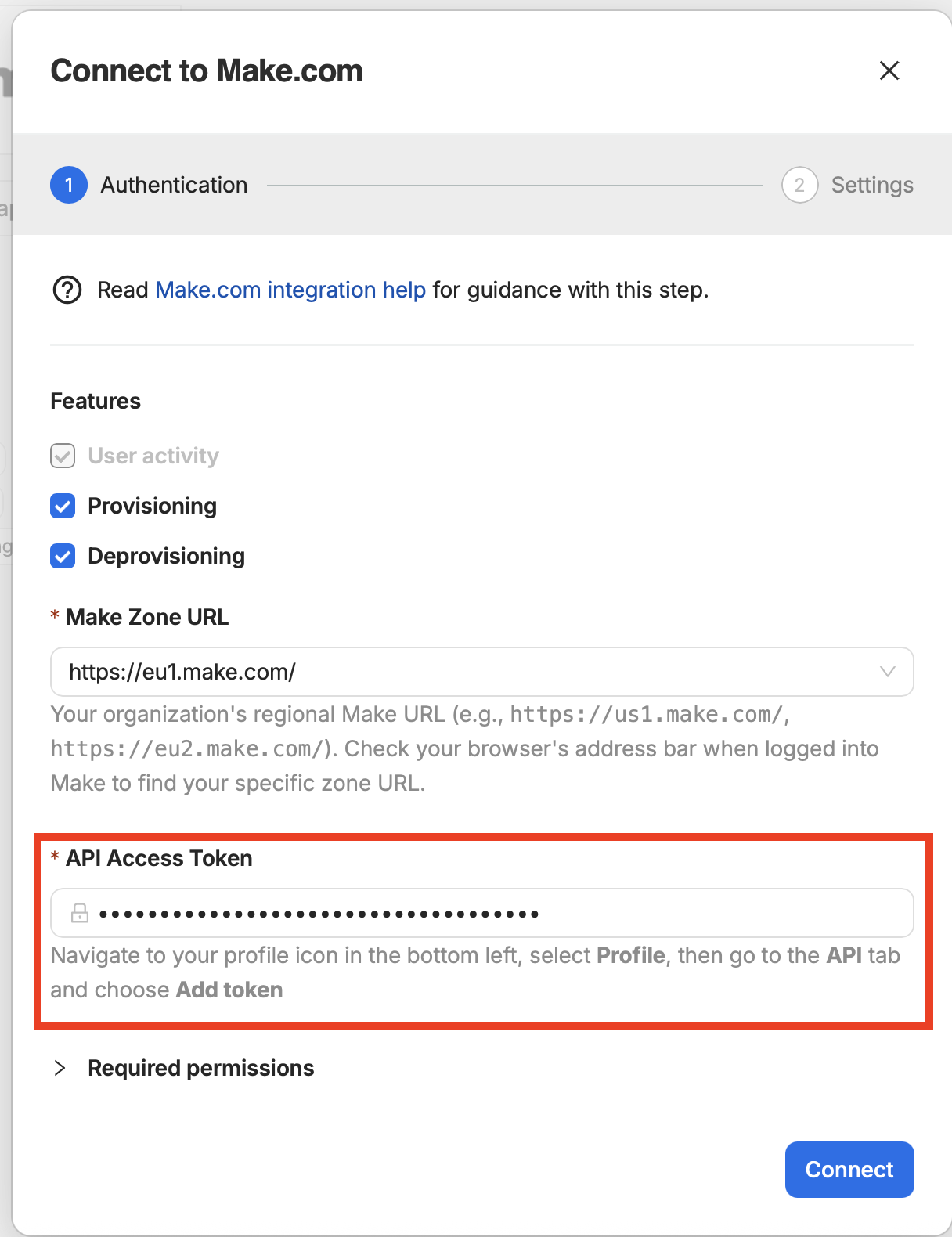
When connecting your Make organization to 1Password SaaS Manager, you will be asked for a Make Zone URL and API Access Token. In order to find these values you must log into your Make account here. Where possible we recommend using a dedicated 1Password SaaS Manager account to connect, since the access is tied to the user you log in to Make with. The integration will stop working if this user’s account in Make is deactivated.
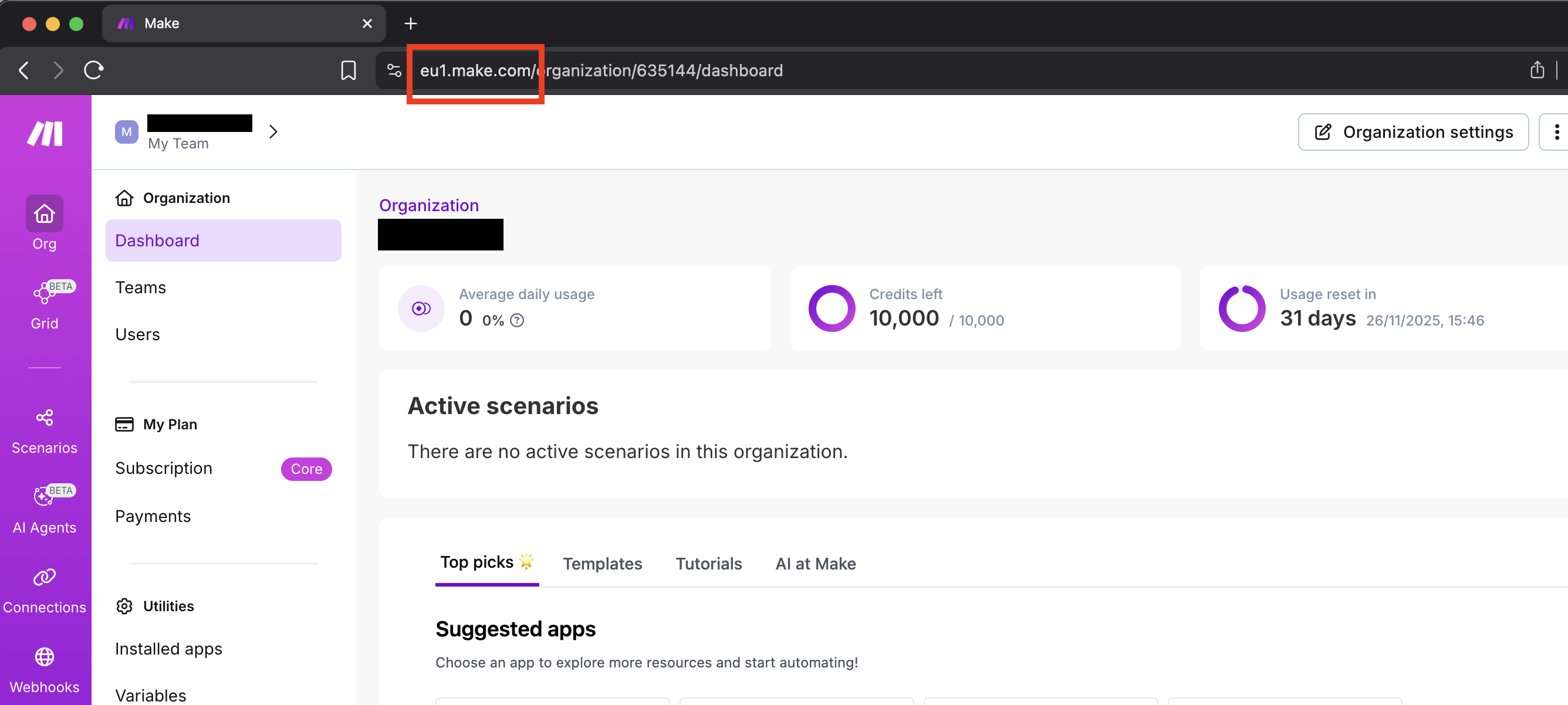
Your Make Zone URL should be in your URL when you are logged into your selected Make organization. For the example below, it is "eu1.make.com":
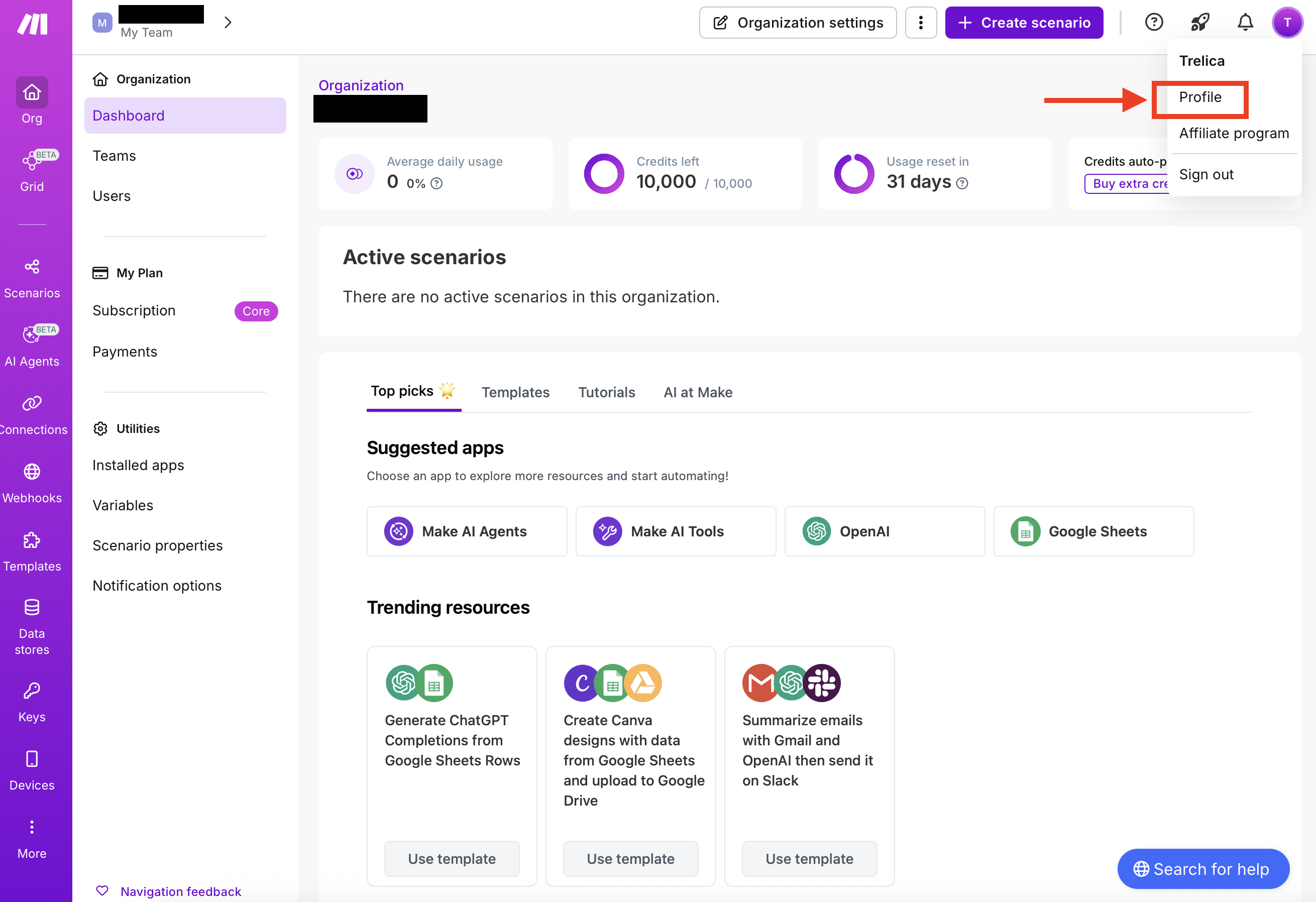
Generate an API Access Token by clicking your profile icon on the top-right and choose Profile:
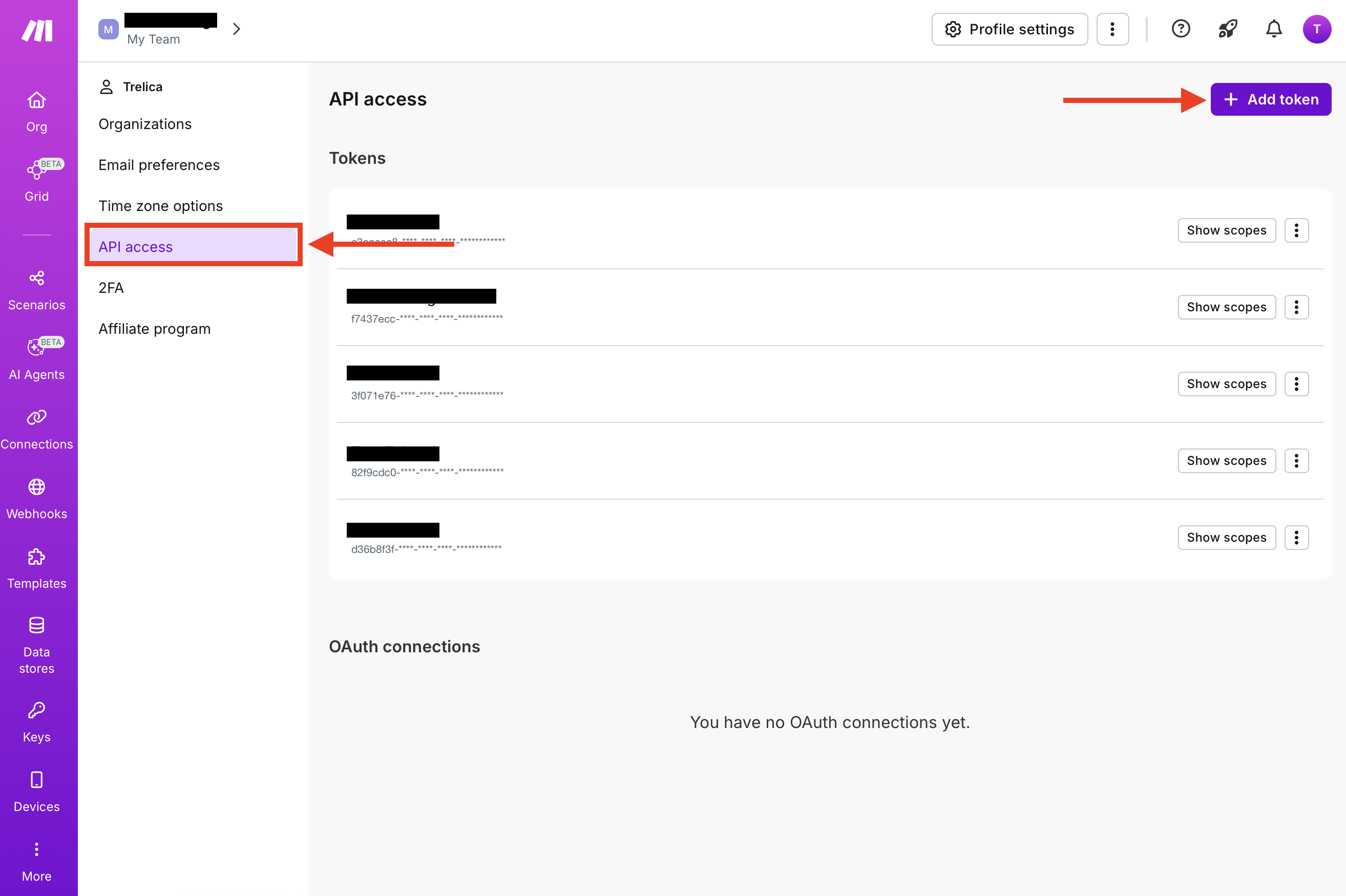
Choose the API Access on the left-hand side menu and click Add token:
Enter a name for the token and select the relevant scopes from the list.
You must select
- organizations:read
- user:read
If you want to create or delete users then additionally choose:
- organizations:write
- user:write
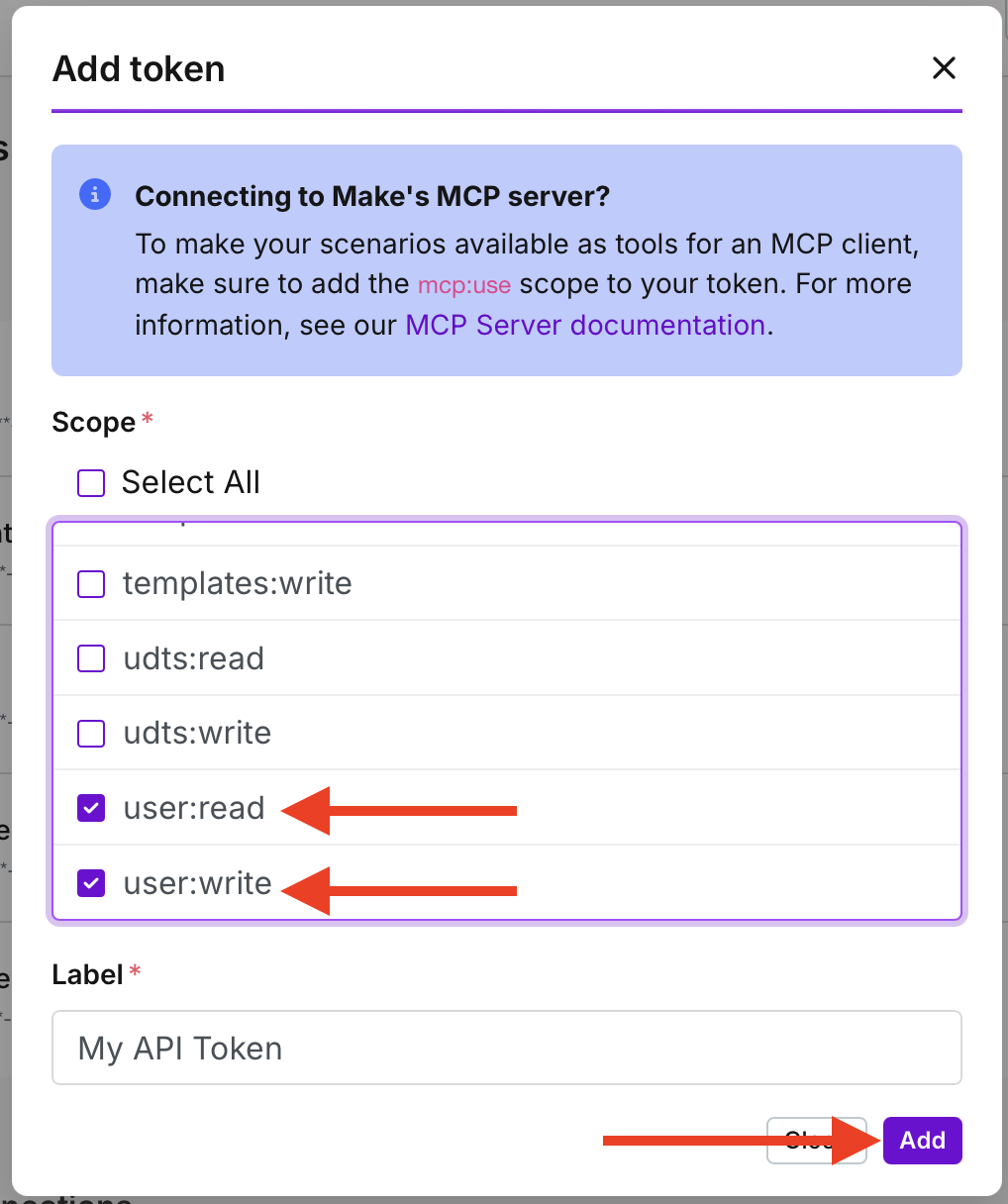
Click Add when you are done.
The new token will be created and you can copy it from the page and paste it into SaaS Manager.
Comments
0 comments
Please sign in to leave a comment.