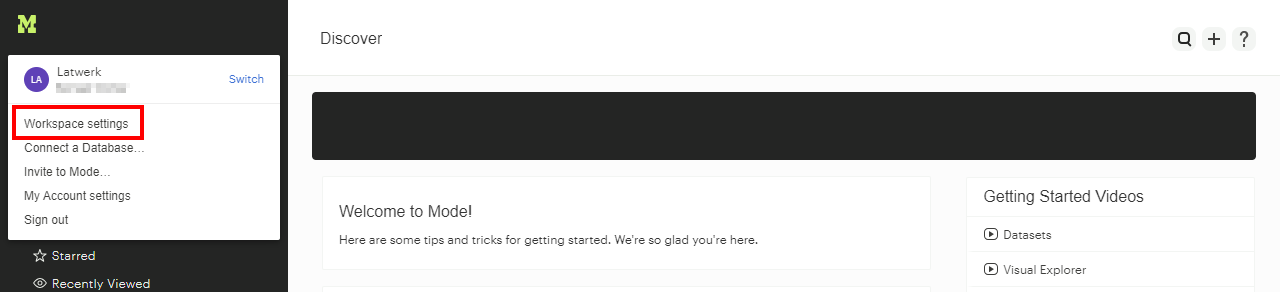
Click on your profile icon and choose Workspace settings:
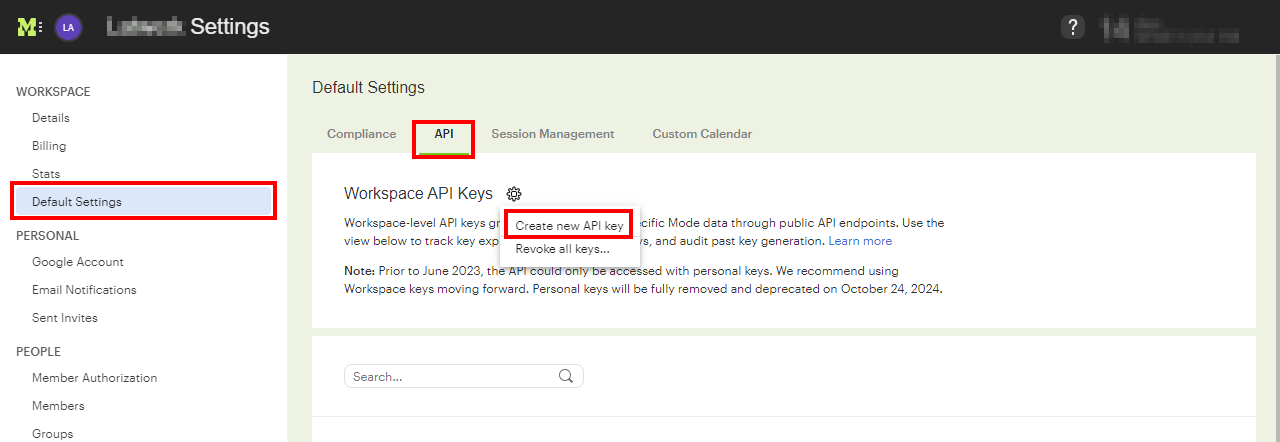
Now choose Default Settings under the Workspace section, navigate to the API tab, click the gear icon and then click Create new API token.
Enter a display name for the token (e.g. '1Password SaaS Manager'), choose a expiration date and click Create.
You will then be presented with the token ID and token secret, which you should store securely before copying into the integration connection dialogue in SaaS Manager.
Comments
0 comments
Please sign in to leave a comment.